There is nothing more satisfying than using a computer built by yourself. The primary step to building a PC is knowing the purpose for which you are creating your PC. This will make things easier to figure out. Secondly, choose the necessary hardware components for building the PC you are looking for. As per your requirement, let’s be clear on what to buy and what not to buy. You can either go for the affordable parts or buy the most expensive components, your wish. Remember that any component you pick will influence the performance of your PC. In this handy guide, we’ll take you through easy-to-follow instructions on how to build a PC.
Before we start, let’s revise the basic components you shouldn’t miss while building your PC. The case/ chassis, the motherboard, the CPU, the SSDs & hard drives, the memory kit and the power supply are the most important elements in crafting a PC.
How to build a PC? The prep
We hope you are equipped with the inevitable parts for building your PC. Keep your workspace organized so that you will not have to run or rush for anything. Make sure you have a tool kit with a few essentials in it.
We would also advise you to keep a first-aid kit near you if you accidentally have a cut on your finger. It will be better if you wear an electrostatic discharge (ESD) wrist strap.
Maintaining a can of compressed air near you will help remove any dust or debris from the interface. You may need this when you install the memory, SSD and processor.
Static energy can cause damage to hardware. To prevent static electricity, you should ground yourself by touching an unpainted metal surface. Avoid working on carpeted floors and choose solid floors (if possible).
Last but not least, keep the manual with you. You may encounter so many doubts when you install and assemble the parts. Refer to each component’s manual and their instructions when in doubt.
How to build a PC? Adding the hardware
Adding the hardware is like molding a pot. Here is where it all begins. Let’s see the different steps in adding the hardware.
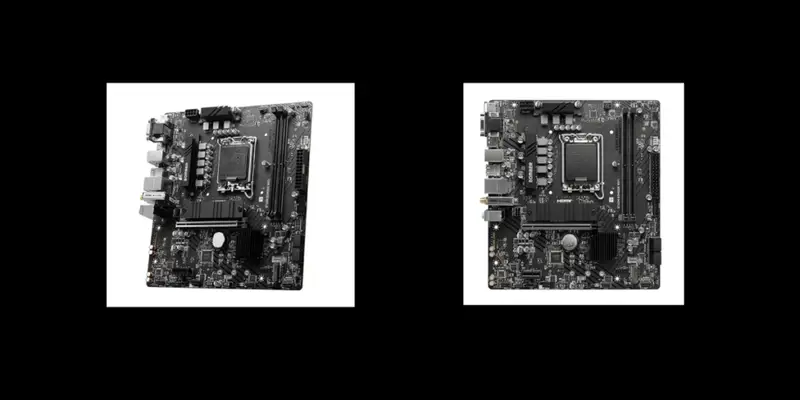
- Take the motherboard first.
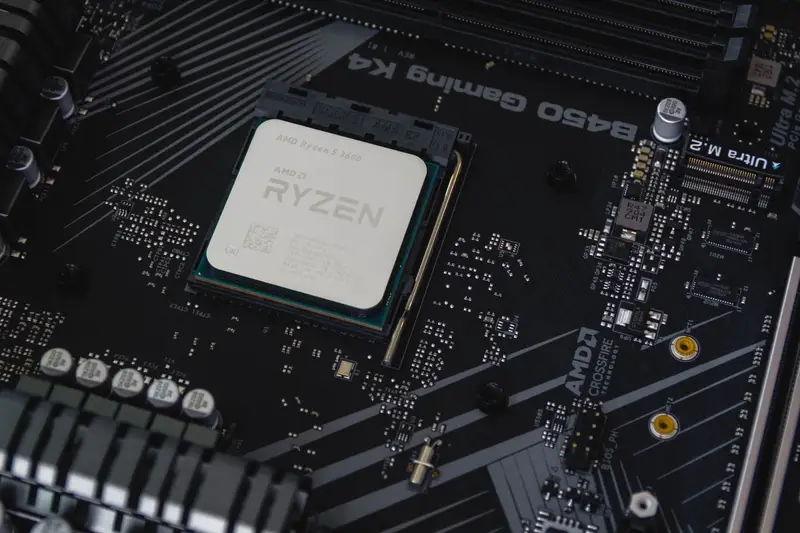
- Installing the processor and the power supply on the motherboard is the next step.
- Once you’ve installed them, you should place the motherboard carefully in the case/ chassis.
How to build a PC? Installing the memory
Let’s focus on installing the memory for your PC. You can either opt a memory kit or RAM. Here, we’ll guide you on how to install RAM.
- Now that you have put the motherboard in the case, you will need a little time to locate the memory slots on the motherboard.
- After finding the memory slots, hold your memory modules on the side to avoid touching the chips and gold pins.
- Carefully and gently align the notches on the module with the ridge in the slot.
- Firmly press the module in place until it clicks. (It will take some 30 pounds of pressure to install a module fully).
How to build a PC? Installing the SSD
We would love to remind you that installation of SSD will differ depending on the form factor of the SSD you’ve purchased (which includes M.2, 2.5-inch, or mSATA). Refer to the owner’s manual for instructions on installing the hard drive.
How to build a PC? Testing the system
Here comes the most awaited moment. You can now see that all the hardware is installed and assembled. The next step is to test your system.
- Hit the power button.
- Check if your keyboard and monitor are connected.
- You will then see a screen to enter the system BIOS.
How to build a PC? Installing the OS
A system becomes complete with an OS. Put a flash drive or a disc with an OS into the appropriate drive. Boot up and install the OS. You’re all set to flaunt your daunting project!
Also Read: Building a PC: Basic Components you shouldn’t miss