
EPOMAKER HE65 V2 TMR Review
EPOMAKER HE65 V2 TMR review covering its TMR switches, Rapid Trigger, 8,000Hz polling, hybrid hot-swap PCB, wireless connectivity and typing experience.
The SteelSeries Apex Pro TKL Gen 3 is a premium gaming keyboard that offers considerably more flexibility than a conventional mechanical model.
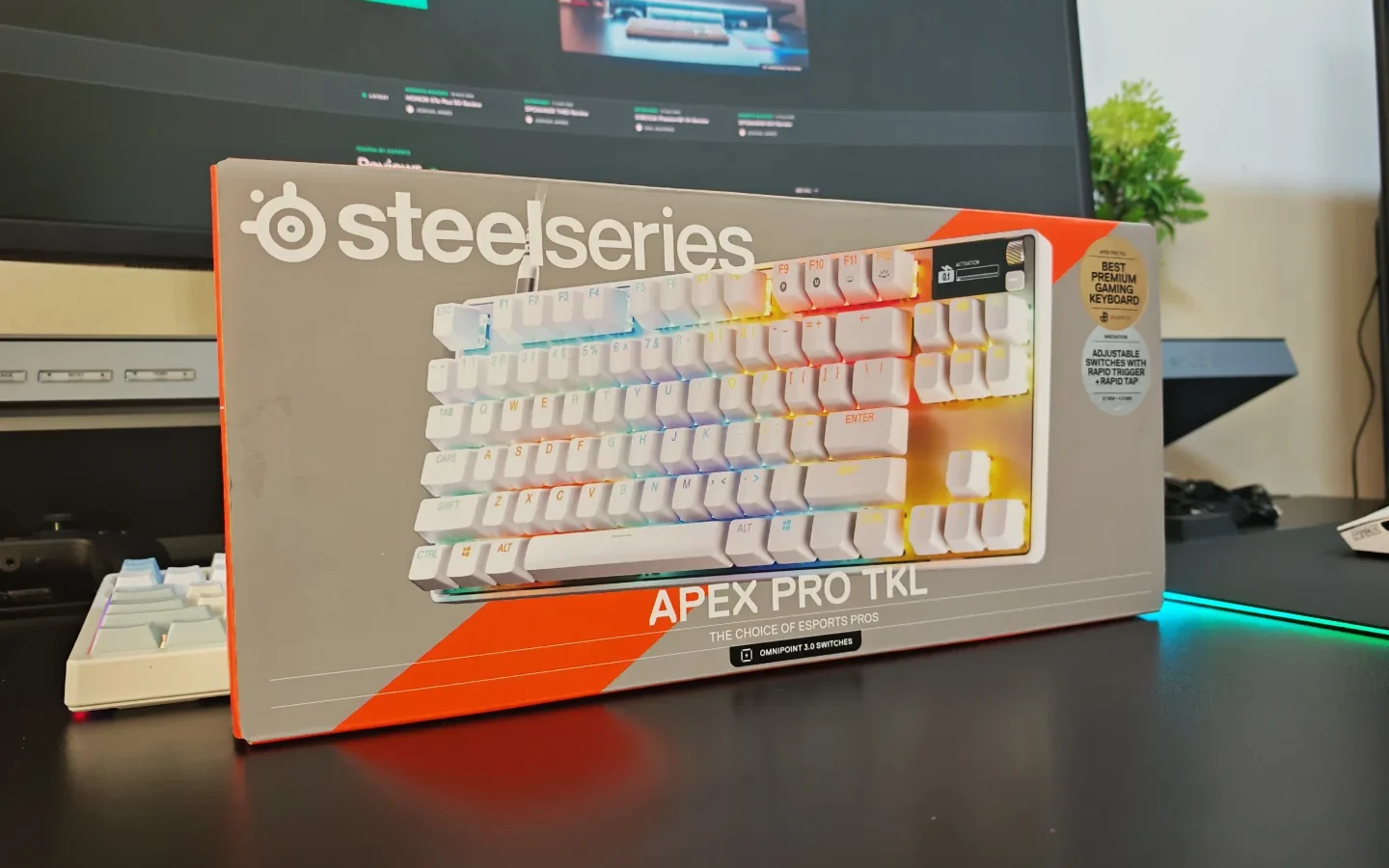
The SteelSeries Apex Pro TKL Gen 3 is a premium tenkeyless gaming keyboard built around the company’s OmniPoint 3.0 Hall Effect magnetic switches. Unlike traditional mechanical switches, these switches allow us to adjust the actuation point on a per-key basis, from 0.1mm to 4.0mm. This gives the keyboard a level of customization that is particularly useful for competitive gaming.
The TKL layout also strikes a good balance between functionality and desk space. We retain the function row, arrow keys and navigation controls while gaining more room for mouse movement compared with a full-size keyboard.
We have been using the Apex Pro TKL Gen 3 as our main keyboard, including for gaming and everyday work. While its adjustable actuation and Rapid Trigger features are the main attractions, there are also several smaller details that make the keyboard convenient to use. There are, however, a couple of design issues worth considering.
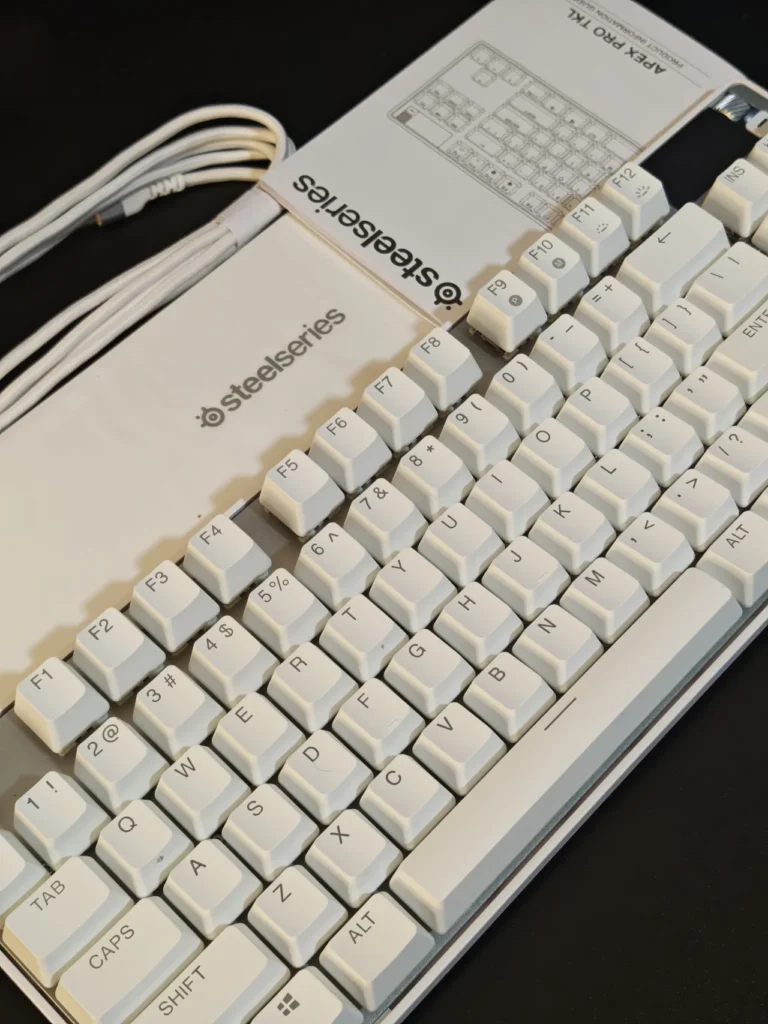
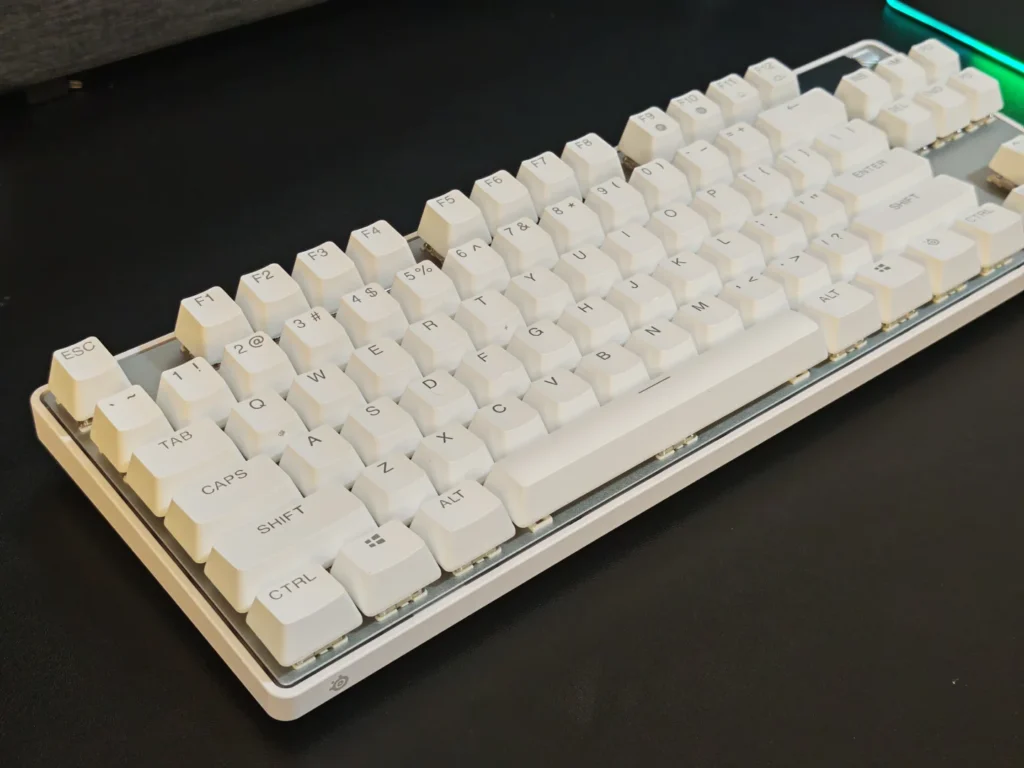
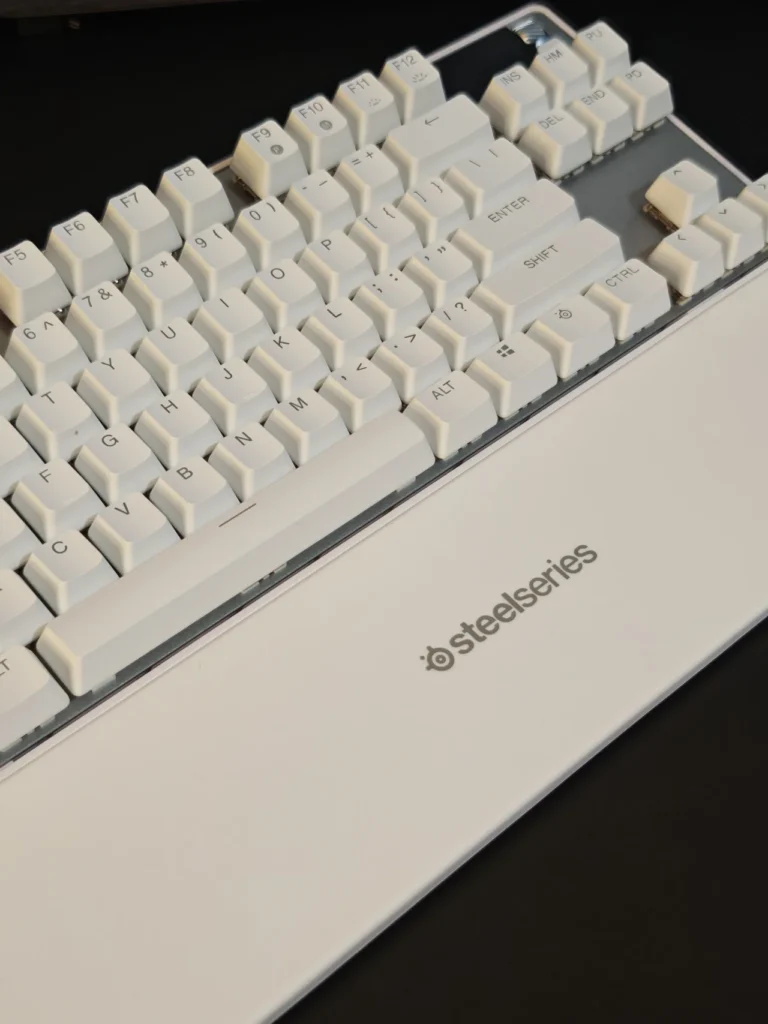
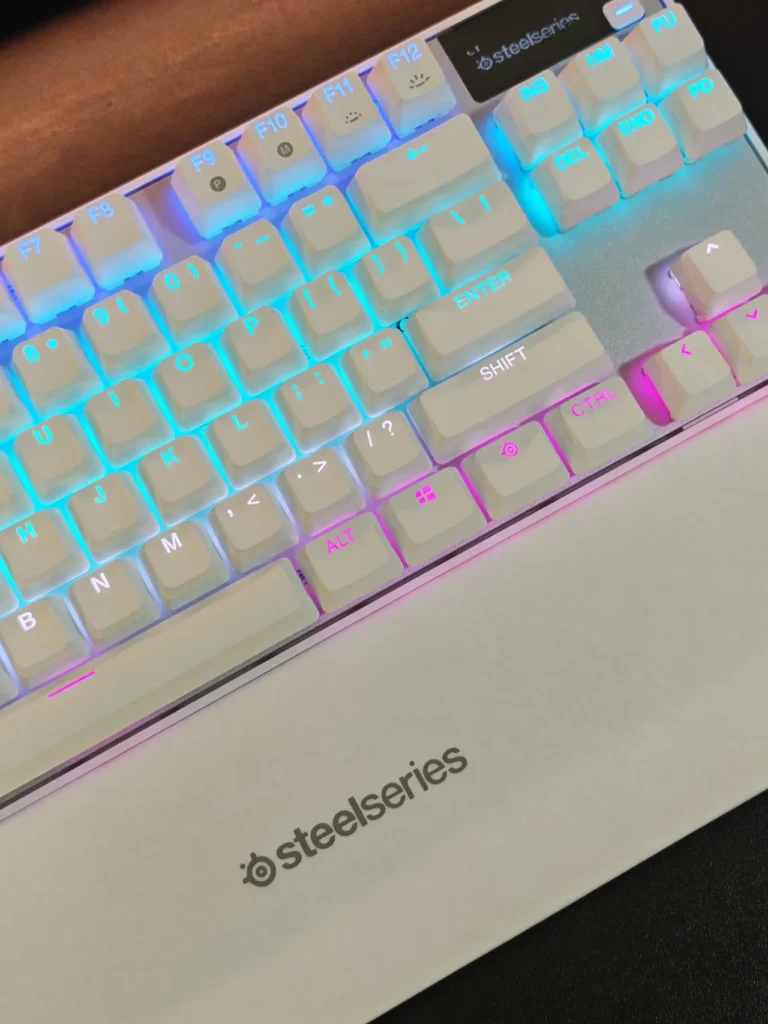
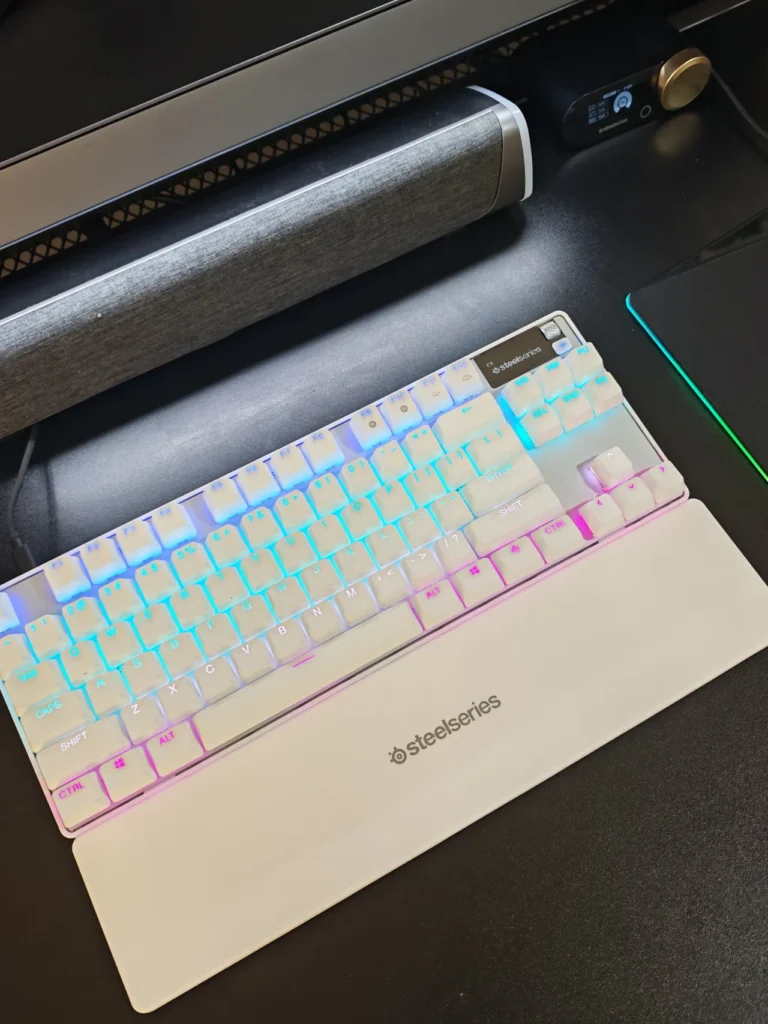
The Apex Pro TKL Gen 3 has a clean, understated design that works particularly well in the white finish we tested. The lighter colour also allows the RGB lighting to stand out more clearly, particularly in a darker room. Even during the daytime, the lighting remains bright and visible.
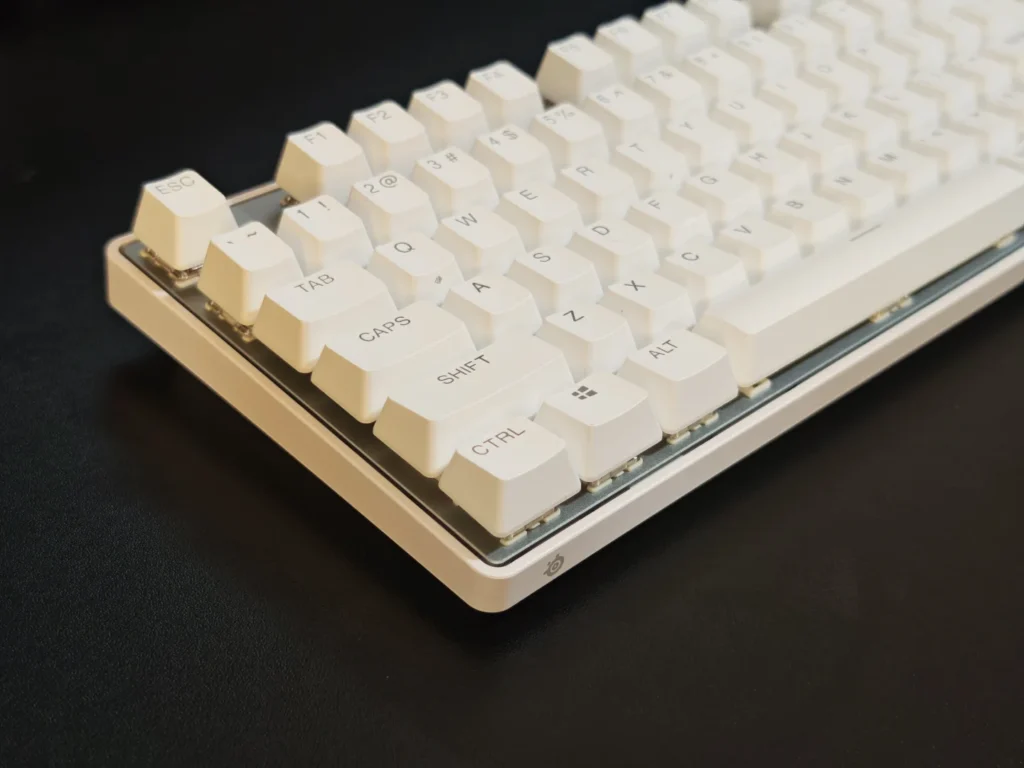
The keyboard uses an aluminium top frame that gives it a solid feel, while the rest of the chassis uses plastic. The combination feels appropriately sturdy for a premium gaming keyboard, and we did not notice significant flex during normal use.
The TKL layout is one of the main advantages of this model. It removes the number pad while retaining the keys most users need for gaming and productivity. This leaves additional space on the desk for the mouse, which is especially useful when playing games that require large mouse movements.
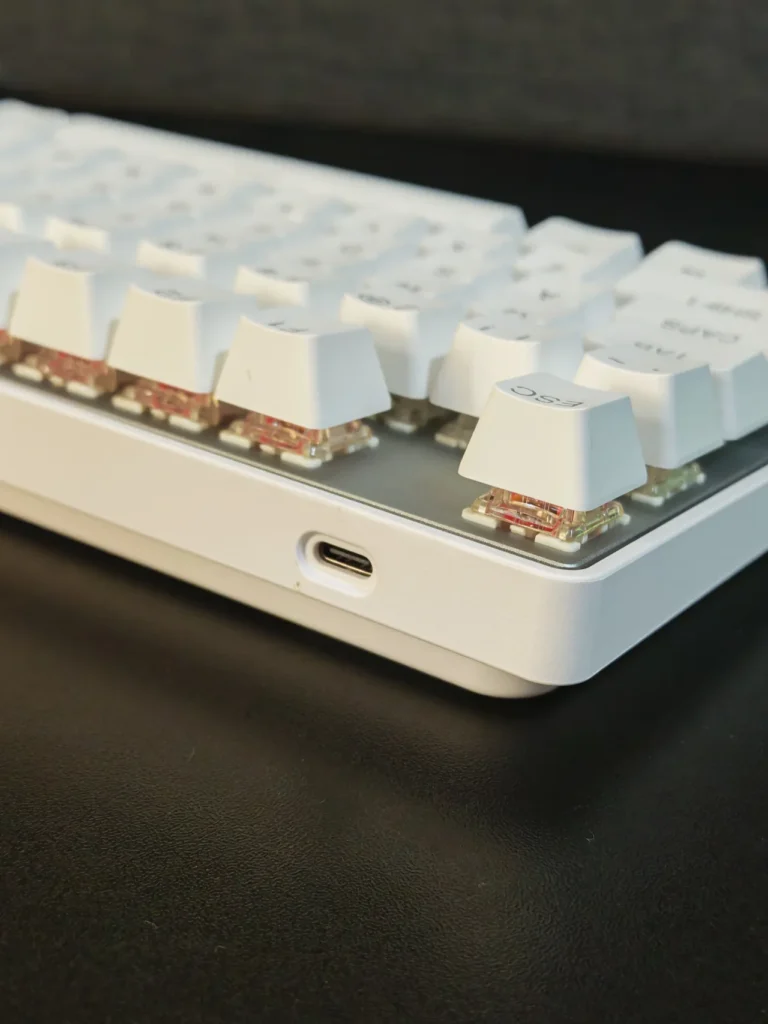
The keyboard connects using a detachable braided USB-C cable. The port is positioned on the left side, and being able to remove the cable makes transportation and cable management easier.
SteelSeries also includes a magnetic wrist rest. It attaches securely to the keyboard and provides useful support during longer sessions. The magnetic connection is strong, although we noticed an issue when using it with pressure applied to the front of the keyboard. Because of the spacing around the underside feet, pressing down on the wrist rest can occasionally cause the front of the keyboard to move slightly.
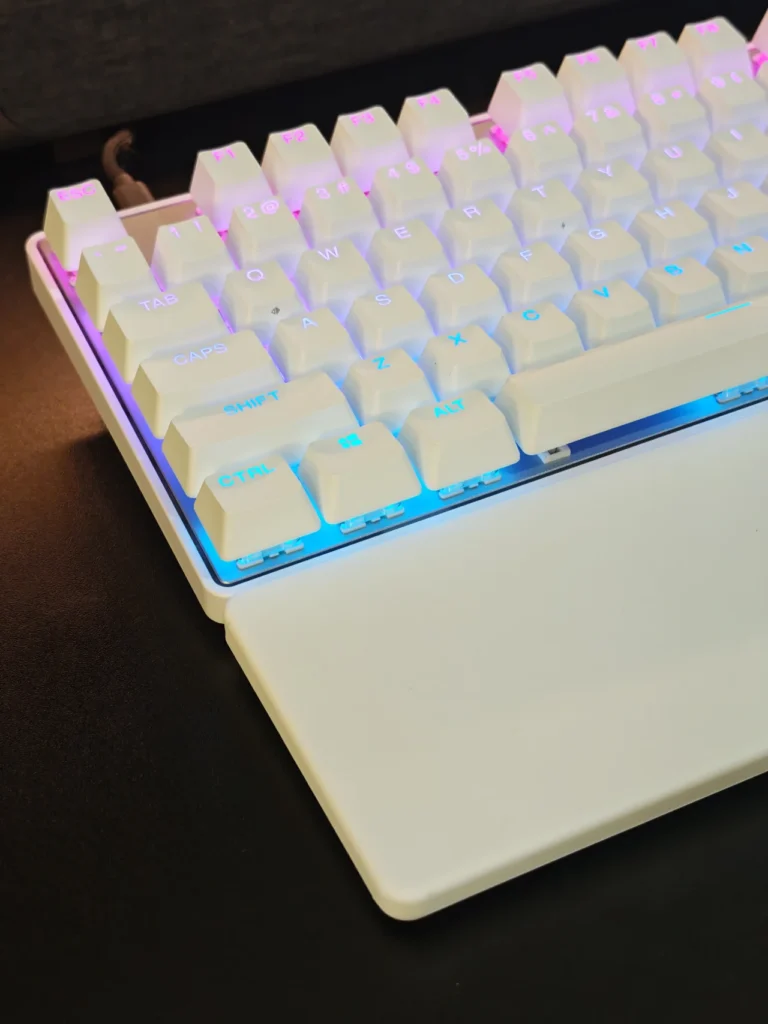
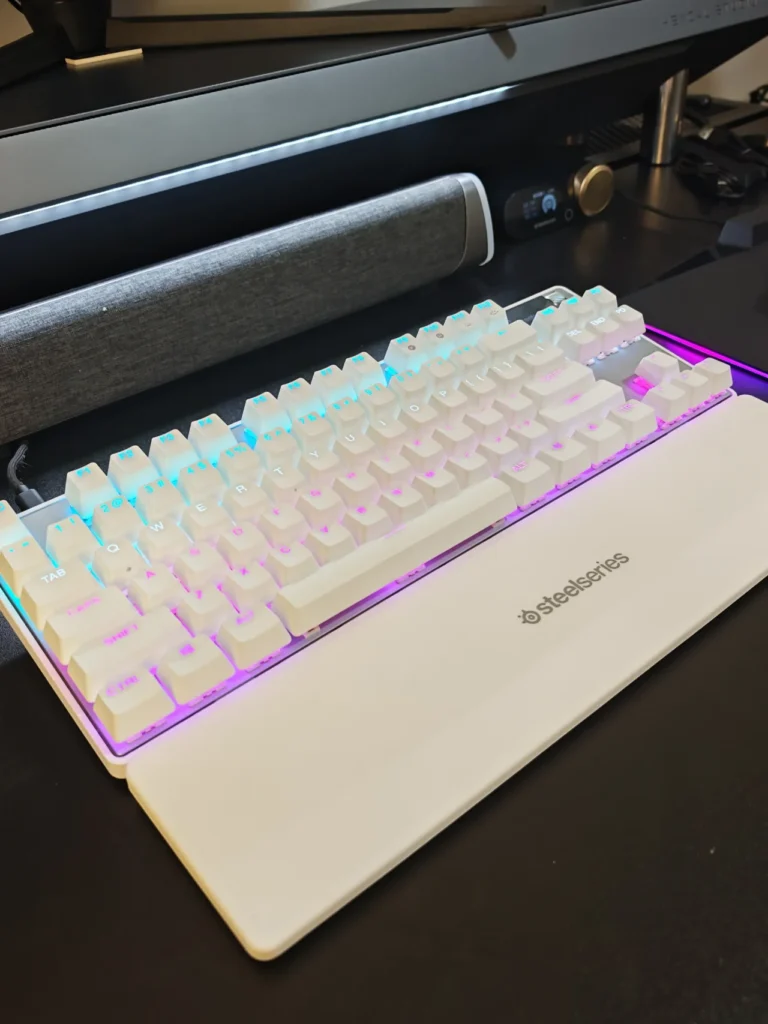
This is not a major issue, but it is something we noticed during extended use. A wider rubberised contact area along the front could potentially improve stability.
There are also two-stage flip-out feet underneath the keyboard for adjusting the typing angle. The higher position remains secure during use, while the middle position can occasionally fold back if the keyboard is pushed forward from the front.
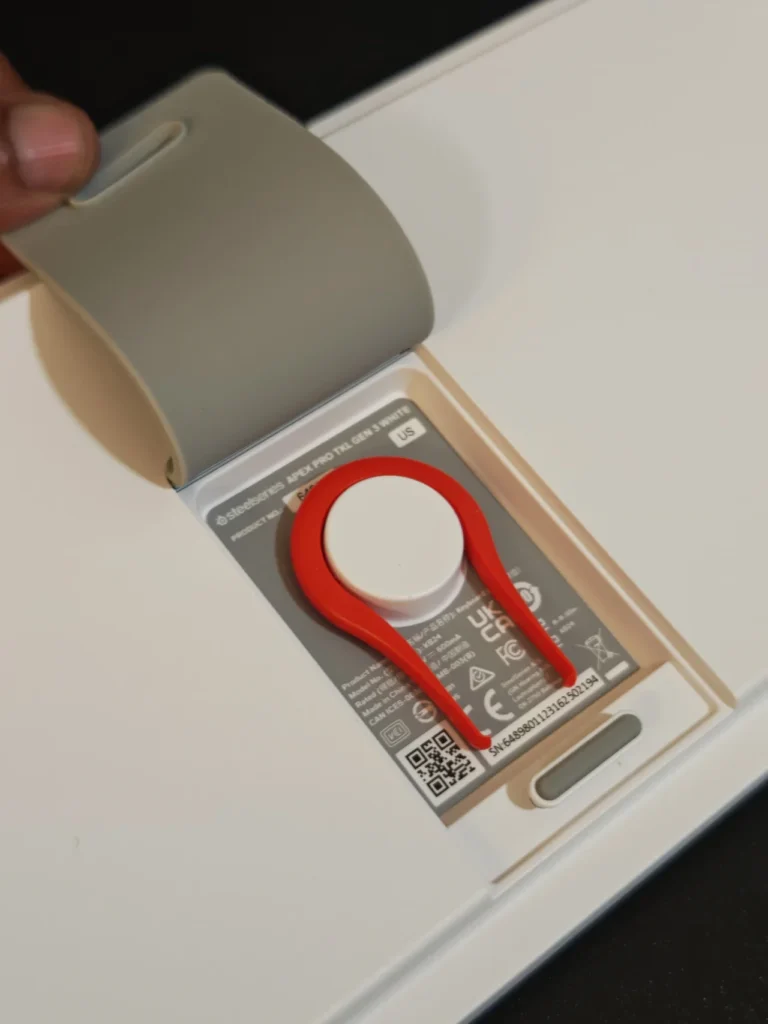
Another thoughtful addition is the storage compartment underneath the keyboard for the included keycap removal tool. It is a small detail, but it makes the tool much harder to lose.
The OmniPoint 3.0 switches are the main reason to consider the Apex Pro TKL Gen 3. These Hall Effect magnetic switches detect key movement using magnetic sensing rather than the physical contacts found in conventional mechanical switches. This allows SteelSeries to continuously monitor the position of the switch and, as a result, provide adjustable actuation and Rapid Trigger functionality.
The actuation point can be adjusted from 0.1mm to 4.0mm. This can be configured for individual keys or groups of keys, allowing us to create different settings depending on how the keyboard is being used. For example, movement keys can be configured to respond very quickly in a competitive shooter, while other keys can use a deeper actuation point to reduce accidental presses.
In our testing, we found that extremely low actuation settings were not necessarily the best for everyday use. At first, we had the actuation set lower, but the keyboard felt too sensitive. After experimenting with different values, we settled on around 1.8mm for our gaming setup.
That setting gave us a good balance between responsiveness and control. More importantly, the ability to change the setting without replacing switches or modifying the hardware makes the Apex Pro TKL Gen 3 considerably more flexible than a conventional mechanical keyboard.
The switches have a smooth linear feel and are well suited to gaming. SteelSeries also uses per-key lubrication and sound-dampening components to improve the overall feel and acoustics.
The switches are not hot-swappable, so we cannot simply remove the OmniPoint switches and install a different switch type. However, that is less significant here because the Hall Effect switches are the foundation of the keyboard’s adjustable functionality.
Although the Apex Pro TKL Gen 3 is primarily designed as a gaming keyboard, we found it comfortable enough for everyday typing. The linear OmniPoint switches have no tactile bump, so the keypress is smooth throughout the travel. This is particularly good for gaming, although users who prefer tactile or clicky switches may prefer a different keyboard.
The Double Shot PBT keycaps also provide a better long-term solution than ABS keycaps. The legends are designed to resist fading, while the PBT material generally holds up well to heavy use. The stabilisers on the larger keys are reasonably controlled, and we did not encounter excessive movement or noise during normal use. The overall sound is also more refined than what we typically expect from a stock gaming keyboard.
The keyboard’s RGB lighting contributes to the experience. The white version in particular produces a bright and clean appearance, and the reflective surface around the base helps spread the lighting across the keyboard.
Gaming is where the Apex Pro TKL Gen 3 makes the strongest case for itself. The combination of Hall Effect switches, adjustable actuation and Rapid Trigger allows us to fine-tune how the keyboard responds to movement. Rapid Trigger changes the way a key resets, allowing it to register another input almost immediately after the key begins moving back up.
In games such as Call of Duty, this can be useful for rapid movement techniques, quick direction changes and faster inputs. We found the difference more noticeable once the actuation settings were adjusted to our preference.
The keyboard also supports Rapid Tap, which prioritises the most recently pressed key when configured appropriately. This is designed around fast movement and strafing and can be useful in competitive games. Another useful feature is Protection Mode. This allows the sensitivity of surrounding keys to be reduced when a particular key is being used, helping minimise accidental inputs.
The keyboard also supports dual actuation. This allows two different actions to be assigned to the same key depending on how far it is pressed. For example, a lighter press could be assigned to walking while a deeper press could trigger running. These features will not make a significant difference to every player. Casual gamers may never need to adjust their actuation beyond the default setting. For competitive players, however, having this level of control can be useful.
The keyboard also supports an 8,000Hz polling rate, matching the high polling rates now available on premium gaming peripherals. While we would not describe the difference from 1,000Hz as something every player will immediately notice, it complements the keyboard’s focus on low-latency input.
One of the more distinctive features of the Apex Pro TKL Gen 3 is its OLED Smart Display. Rather than being purely decorative, the display allows us to access several keyboard settings directly from the hardware. We can adjust illumination, record or delete macros, change actuation settings, enable or disable Rapid Tap and manage configuration profiles without opening SteelSeries GG.
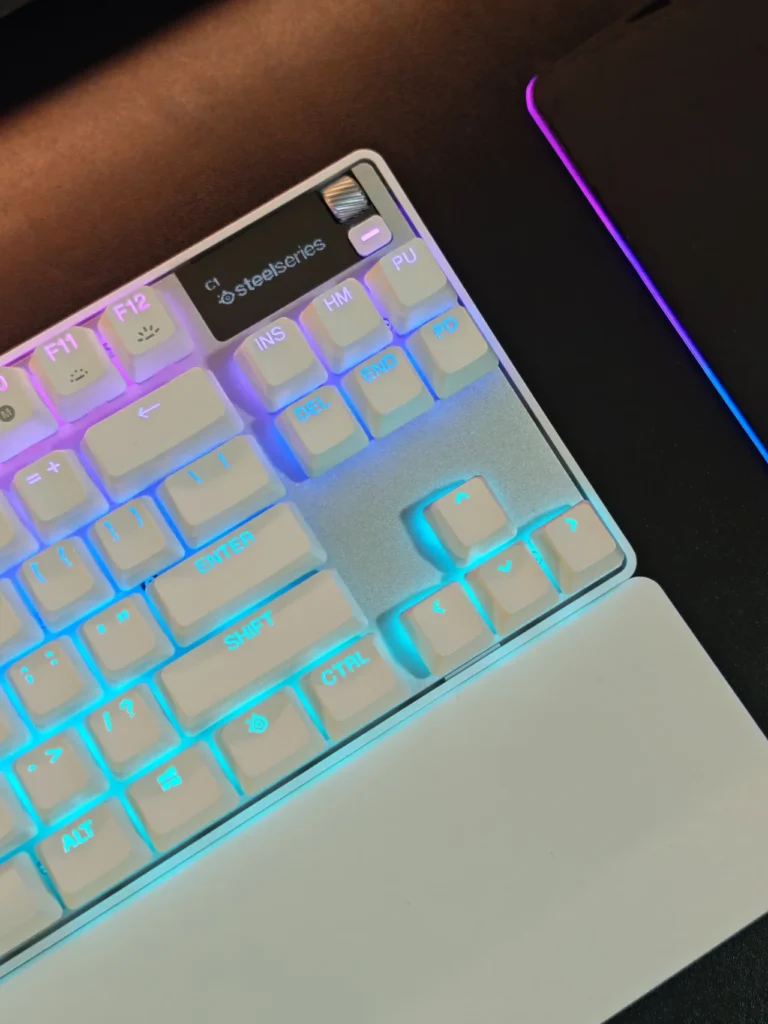
This is particularly useful when switching settings during a game. We used the display to adjust the actuation point and found this considerably more convenient than having to exit a game, open the software and make the change there.
The display can also show custom images and animated GIFs. The animations are limited in frame rate, but they still look good for such a small display. We can also configure which information and icons are shown on the OLED panel, including actuation information. When enabled, the display provides a visual indication of how far a key is being pressed.
For a premium keyboard, this is a nice addition. It is not an essential feature, but the fact that it also provides access to actual settings makes it more useful than a purely cosmetic display.
The hardware is only part of the Apex Pro TKL Gen 3 experience. Much of the keyboard’s functionality is controlled through SteelSeries GG. The software provides access to individual key bindings, macros, actuation settings, Rapid Trigger, Rapid Tap, dual actuation and other configuration options.
The actuation controls are particularly useful. We can select individual keys or multiple keys and assign different actuation points to them. This means the keyboard can be configured differently for different games. SteelSeries also provides game-specific configurations through GG QuickSet, giving users a starting point for supported games rather than requiring them to configure everything manually.
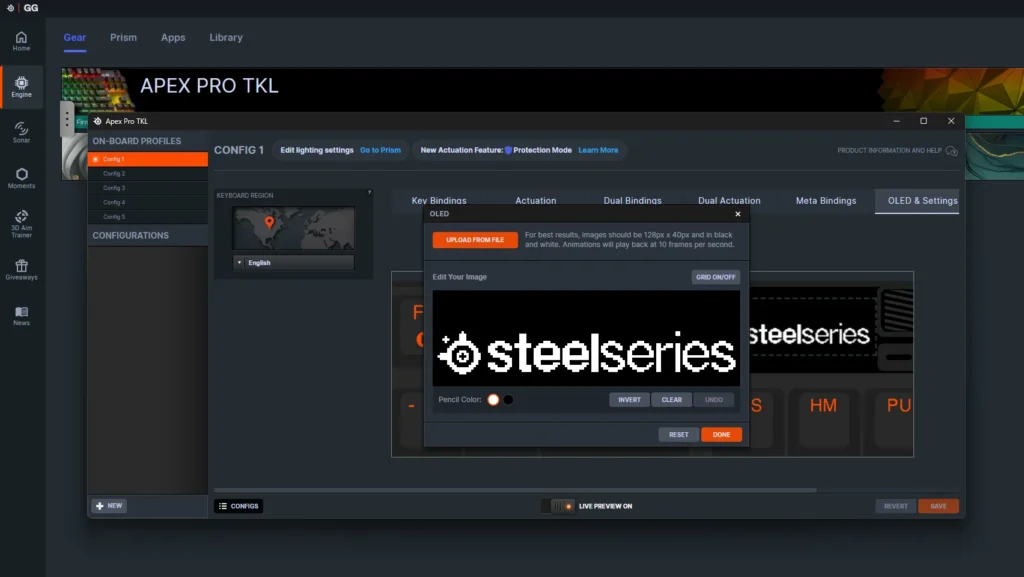
RGB customisation is handled through the Prism section. Every key can be configured individually, or we can apply effects across the entire keyboard. There are also several preset lighting effects, including static, colour shifting and breathing effects. The RGB implementation is strong. Colours appear bright and consistent, and the white chassis helps the lighting stand out.
Profiles can also be stored on the keyboard, which means our configurations can remain available without having to recreate them every time the keyboard is connected to another computer.
The TKL layout makes the Apex Pro TKL Gen 3 suitable for more than gaming. We used it for writing, browsing, editing and other desktop tasks, and the layout never felt restrictive. Unlike a 60% keyboard, we still have dedicated arrow keys, function keys and navigation controls.
The volume control is another useful feature. The compact rotary dial allows us to adjust volume quickly, while the nearby button provides easy access to mute functionality. This is a feature we appreciate during everyday use because it removes the need to reach for software controls or keyboard shortcuts.
The wired connection is less flexible than a wireless keyboard. SteelSeries does offer a separate wireless version of the Apex Pro TKL, but we would have preferred a single model that supports both wired and wireless connectivity. Having the option to switch between wireless convenience and a wired connection for maximum performance would make the keyboard more versatile.
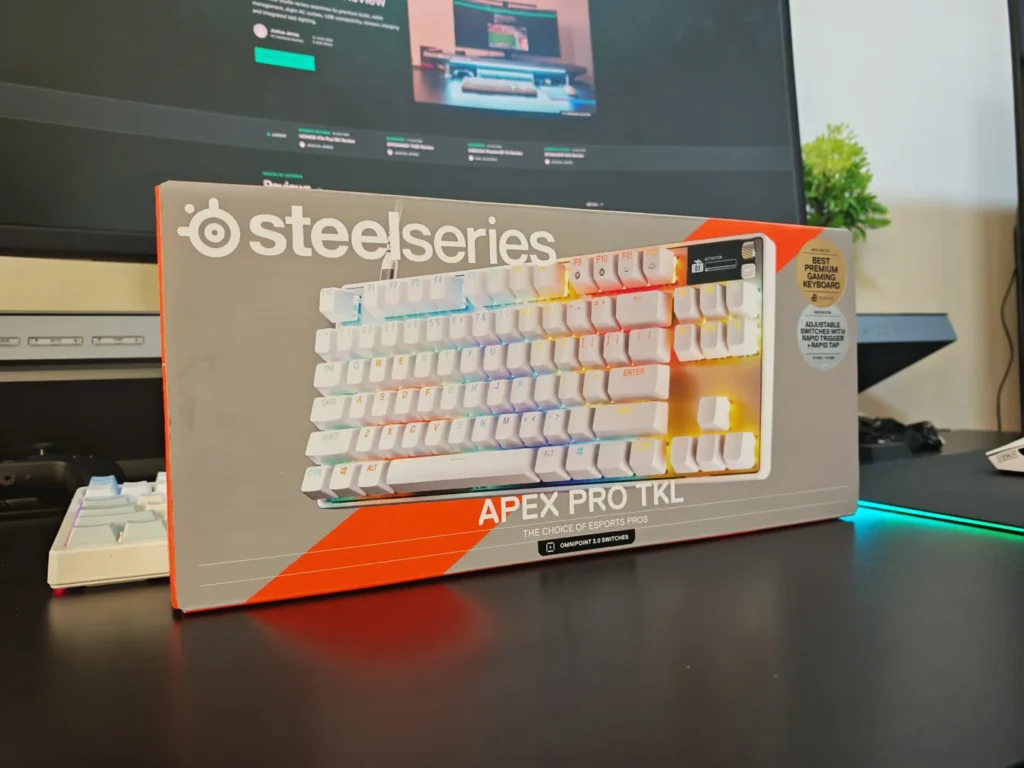
The SteelSeries Apex Pro TKL Gen 3 is a premium gaming keyboard that offers considerably more flexibility than a conventional mechanical model. The OmniPoint 3.0 Hall Effect switches are the highlight. Being able to adjust actuation from 0.1mm to 4.0mm, configure individual keys and use Rapid Trigger gives us meaningful control over how the keyboard behaves. We also appreciate that many of these settings can be changed directly from the keyboard using the OLED display.
During our testing, we found around 1.8mm to be a comfortable actuation point for our gaming sessions. The ability to fine-tune this setting was particularly useful in Call of Duty, where overly sensitive settings initially felt too fast. The TKL layout is also well judged. It provides enough keys for everyday productivity while leaving more room for mouse movement. The volume control, OLED display, detachable cable and magnetic wrist rest add useful functionality beyond the core gaming features.
There are a couple of design details we would like to see improved. The wrist rest can allow some movement when pressure is applied to the front of the keyboard, while the middle-height feet can occasionally fold when the board is pushed forward. Neither issue prevents us from using the keyboard normally, but they are noticeable during extended use.
The other consideration is the price. This is not a keyboard aimed at users who simply want a good mechanical keyboard. Much of what we are paying for is the Hall Effect technology and the extensive configuration options.
For competitive PC gamers who can take advantage of adjustable actuation, Rapid Trigger and dual actuation, the Apex Pro TKL Gen 3 is a strong choice. For users who mainly type, play casual games or have no interest in adjusting their keyboard, a less expensive mechanical keyboard will provide better value.
Overall, the SteelSeries Apex Pro TKL Gen 3 delivers an excellent combination of responsiveness, customisation and everyday usability. It is one of the more capable TKL gaming keyboards we have tested, and its adjustable Hall Effect switches make it particularly well suited to players who want greater control over their inputs.
Also Read: ASUS ROG Falchion Ace 75 HE Review
The SteelSeries Apex Pro TKL Gen 3 uses OmniPoint 3.0 Hall Effect magnetic switches. They allow the actuation point to be adjusted from 0.1mm to 4.0mm.
Yes. Its adjustable actuation, Rapid Trigger, Rapid Tap and low-latency performance make it particularly well suited to competitive gaming and fast-paced titles.
Yes. Rapid Trigger allows keys to reset and register again with very little movement, which can improve responsiveness during rapid movement and repeated key presses.
Yes. The actuation point can be configured individually for supported keys through SteelSeries GG, allowing users to create different settings for movement, gaming and general typing.
Yes. It features an OLED Smart Display that can show information and custom images or GIFs. It can also be used to access certain keyboard settings directly.
Yes. The keyboard features per-key RGB lighting that can be customised through SteelSeries GG, including individual key colours and various lighting effects.
Yes. SteelSeries includes a magnetic wrist rest with the keyboard. It can be attached or removed depending on user preference.
Yes. The keyboard uses Double Shot PBT keycaps, which offer good durability and resistance to wear compared with standard ABS keycaps.
The Apex Pro TKL Gen 3 is worth considering for competitive gamers who can take advantage of its Hall Effect switches, adjustable actuation and Rapid Trigger features. Casual gamers may find less expensive mechanical keyboards offer better value.

EPOMAKER HE65 V2 TMR review covering its TMR switches, Rapid Trigger, 8,000Hz polling, hybrid hot-swap PCB, wireless connectivity and typing experience.
Our EPOMAKER HE75 V2 TMR review covers its TMR switches, Rapid Trigger, 8K polling, wireless performance, sound, software and battery life.
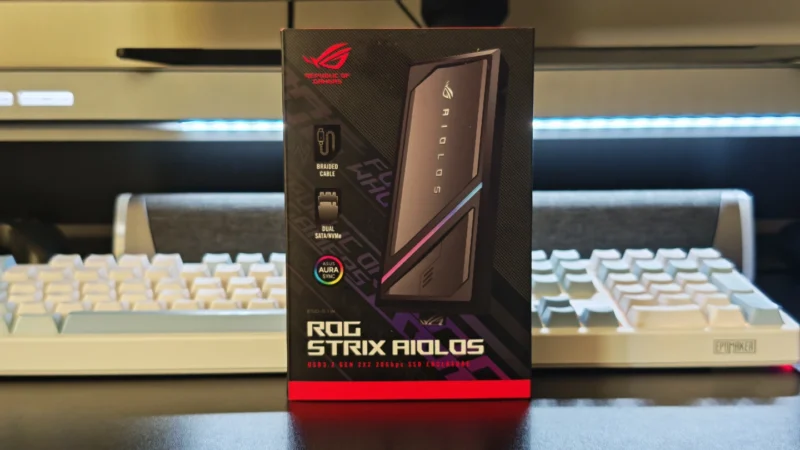
Our ASUS ROG Strix Aiolos review examines its 20Gbps USB 3.2 Gen 2×2 performance, design, cooling, tool-free installation, RGB lighting and value.
 Joshua James