
HONOR Pad X9b Max Review: A Large-Screen Tablet That Takes Productivity Seriously
HONOR Pad X9b Max review: We test its 13-inch 2.5K 120Hz display, 10,100mAh battery, performance, speakers, cameras and productivity features.
Lenovo could have built another conventional tablet. Instead, it built something with a clear purpose. For users who value audio and media consumption above raw performance, the Tab Plus Gen 2 is one of the more distinctive options in its price range.
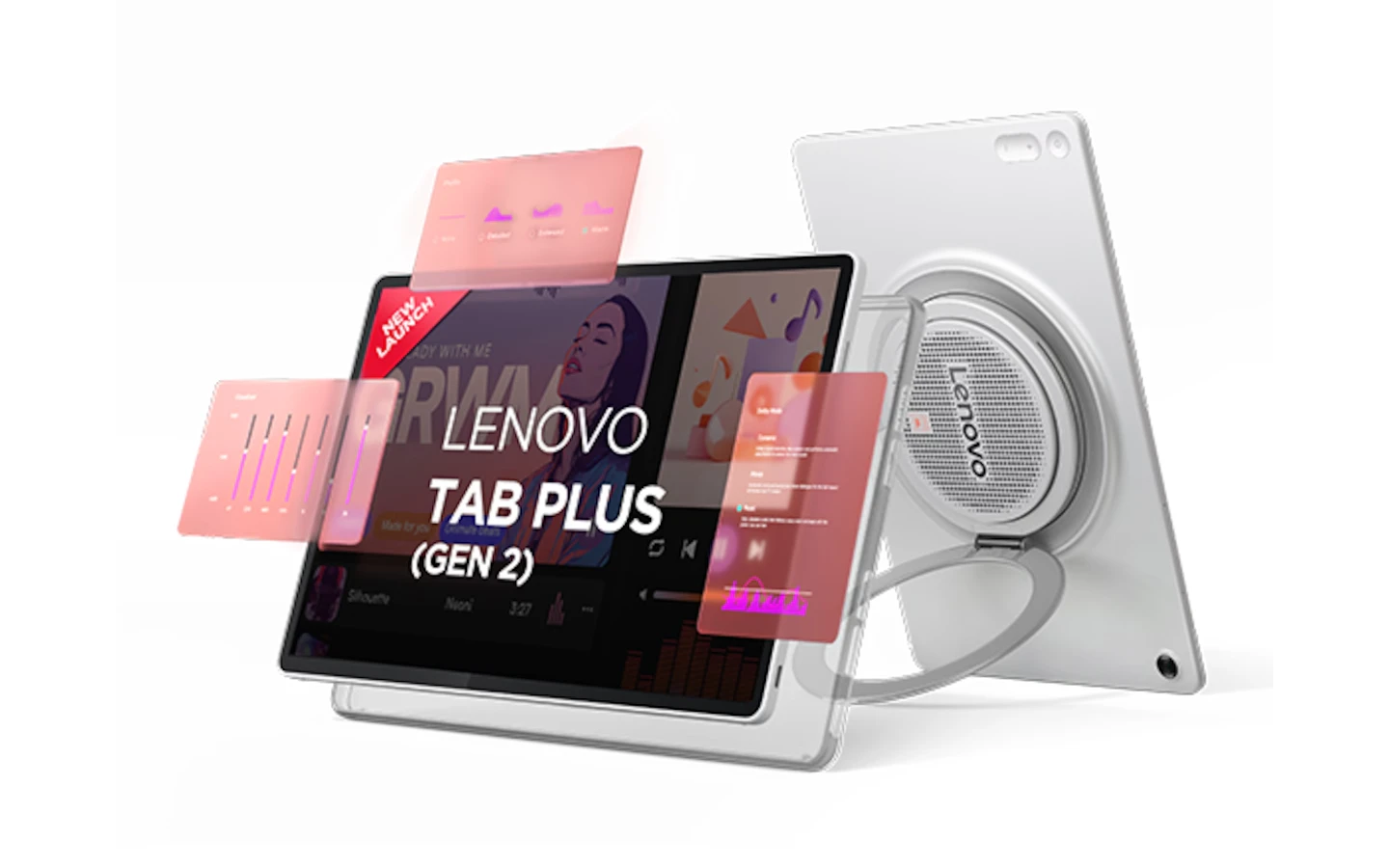
Most Android tablets follow the same formula: a large display, a slim metal body, a few speakers and enough performance for everyday tasks. The Lenovo Tab Plus Gen 2 takes a very different approach.
Instead of trying to be the thinnest or fastest tablet in its class, Lenovo has built the Tab Plus Gen 2 around entertainment. It has a large JBL speaker system integrated into the rear, a 360-degree rotating kickstand, a 12.1-inch 120Hz display and Bluetooth speaker functionality.
That approach makes the tablet noticeably heavier and less conventional than most competitors. It also comes with some compromises, particularly around performance, connectivity and software support. We spent several weeks using the Lenovo Tab Plus Gen 2 for streaming, music, browsing, multitasking, gaming and general everyday use to see whether its unusual design translates into a better tablet experience.
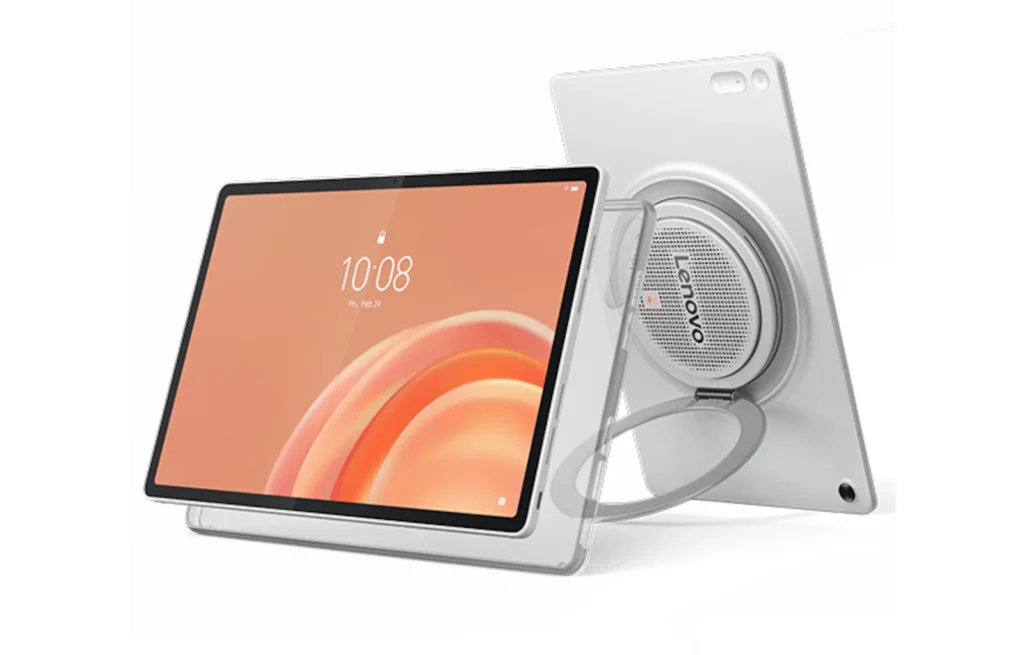
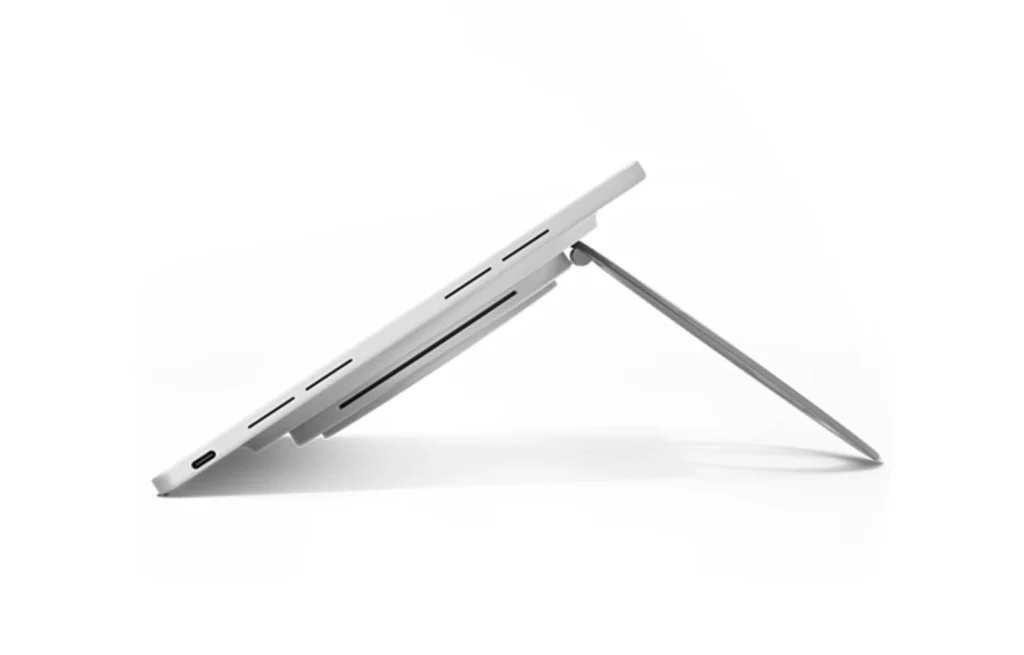
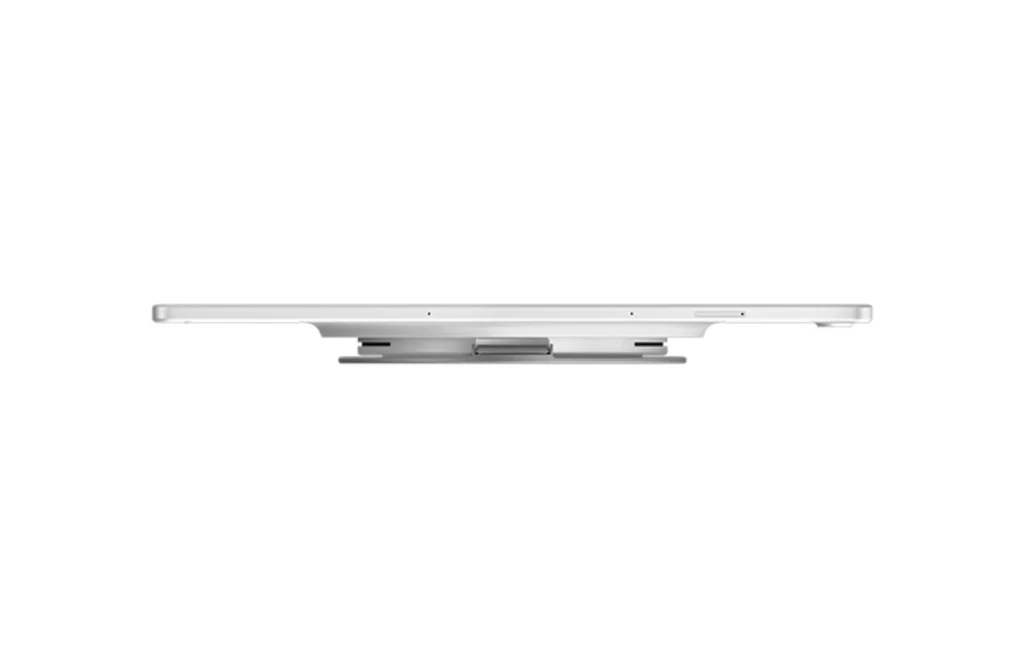
The Tab Plus Gen 2 immediately stands out from the back. The large speaker enclosure occupies a significant portion of the rear panel and houses the tablet’s nine-unit JBL speaker system. The tablet itself has a metal construction with rounded edges and a relatively slim 6.8mm body. However, the rear speaker housing increases the thickness considerably to 22.7mm at its thickest point. The tablet weighs around 760g, making it noticeably heavier than a conventional 12-inch tablet.
That extra size is a direct result of Lenovo’s approach to audio. The rear section provides the space required for the larger speaker chamber while also incorporating the rotating kickstand. The kickstand is one of the best parts of the design. It rotates through 360 degrees and allows the tablet to be positioned in several orientations. We used it for watching videos on a desk, keeping the tablet upright in the kitchen and using it in portrait orientation. It can also function as a handle, making the tablet easier to carry. Lenovo even supports a hanging mode, allowing the tablet to be positioned against a wall or other suitable surface.
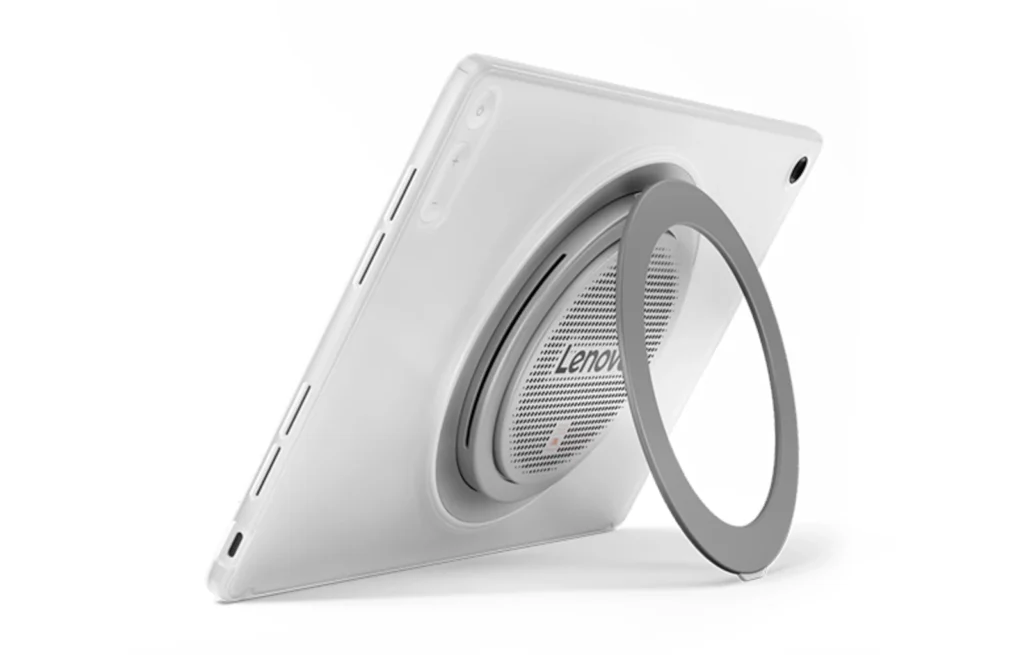
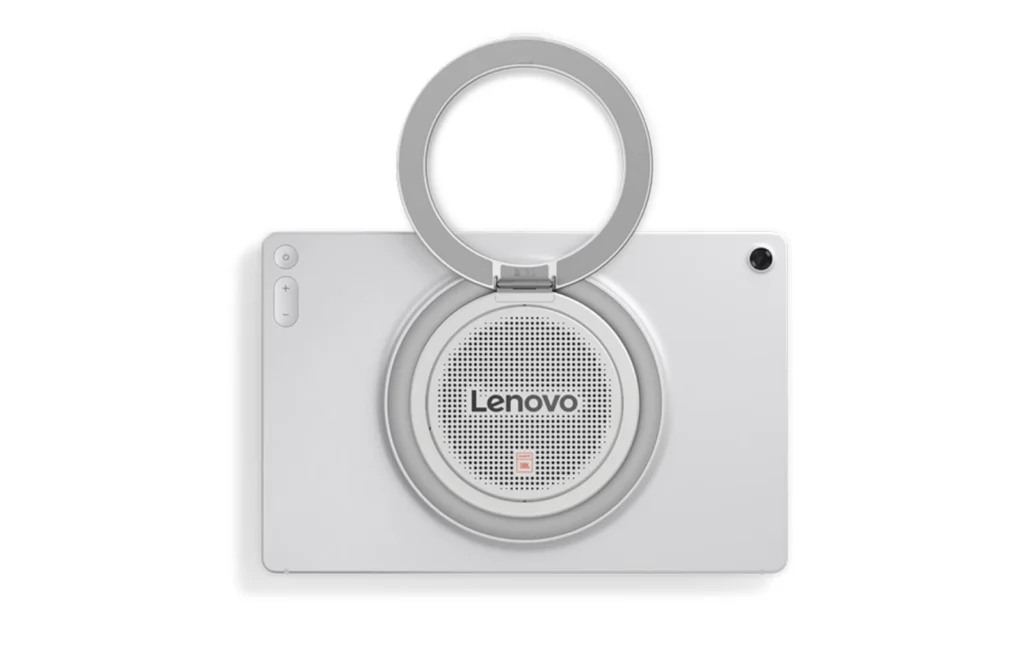
The mechanism feels solid and provides a satisfying amount of resistance as it rotates. There are also small rubber feet to help keep the tablet stable when placed on a surface. The power and volume buttons are positioned on the rear rather than along the conventional side frame. This initially feels unusual, but the positioning makes sense once the tablet is being used with the kickstand or held in landscape orientation. After some time, we found the controls easy enough to locate by touch.
The unusual design does have a downside. Holding the tablet for extended periods can become tiring because of its weight, particularly when gaming or reading without using the kickstand. There is also no 3.5mm headphone jack, which is somewhat disappointing on a device so heavily focused on audio.
A microSD card slot is included, supporting cards of up to 2TB, while the USB-C port handles charging and data transfer. However, the port is limited to USB 2.0 speeds and does not support wired external display output. Overall, the Tab Plus Gen 2 is not designed to disappear into the background. Its design is clearly focused on media consumption, and the built-in kickstand makes it much more practical as a standalone entertainment device.
The speakers are the main reason to buy the Tab Plus Gen 2. Lenovo has equipped it with a nine-unit JBL Pro speaker system consisting of four tweeters, three woofers and two passive radiators. The system is tuned using Dolby Atmos and sits inside a larger speaker chamber than you would normally find in a tablet.
The difference compared with conventional tablet speakers is immediately noticeable. The Tab Plus Gen 2 gets significantly louder than most tablets we have tested, while also producing considerably more low-end response. Vocals remain clear, stereo separation is good and the sound remains reasonably controlled at higher volume levels.
The larger speaker enclosure gives the tablet a level of bass and presence that is difficult to achieve with conventional thin tablet designs.
It is not a replacement for a dedicated Bluetooth speaker, particularly a good standalone model with a larger enclosure. Dedicated speakers can still produce deeper bass and a wider soundstage. However, the Tab Plus Gen 2 gets remarkably close for a device that also includes a large display, processor, battery and full Android operating system.
Another useful feature is Bluetooth Speaker Mode. A smartphone or another compatible device can connect to the Tab Plus Gen 2 over Bluetooth, allowing the tablet to function as a wireless speaker. This is particularly useful when the tablet is sitting on a desk, kitchen counter or other stationary location. It effectively allows the device to serve two purposes without requiring a separate Bluetooth speaker.
The only thing to remember is that the main speaker system is located on the rear. Placing the tablet flat against a surface can therefore reduce the effectiveness of the sound. For audio quality, the Tab Plus Gen 2 is one of the strongest tablet options we have tested. More importantly, the speaker system is not simply a specification-sheet feature. It makes a noticeable difference when watching movies, YouTube videos or listening to music.
The Tab Plus Gen 2 uses a 12.1-inch IPS display with a 2560 x 1600 resolution and a 120Hz refresh rate. Brightness reaches 800 nits under high-brightness conditions. The resolution provides good pixel density for the screen size. Text looks sharp, websites are easy to read and high-resolution video content looks detailed.
The 120Hz refresh rate is also useful beyond gaming. Scrolling through websites, moving between menus and switching between applications all feel noticeably smoother than on a 60Hz panel. The display also supports HDR content, making it well suited to streaming and other media consumption.
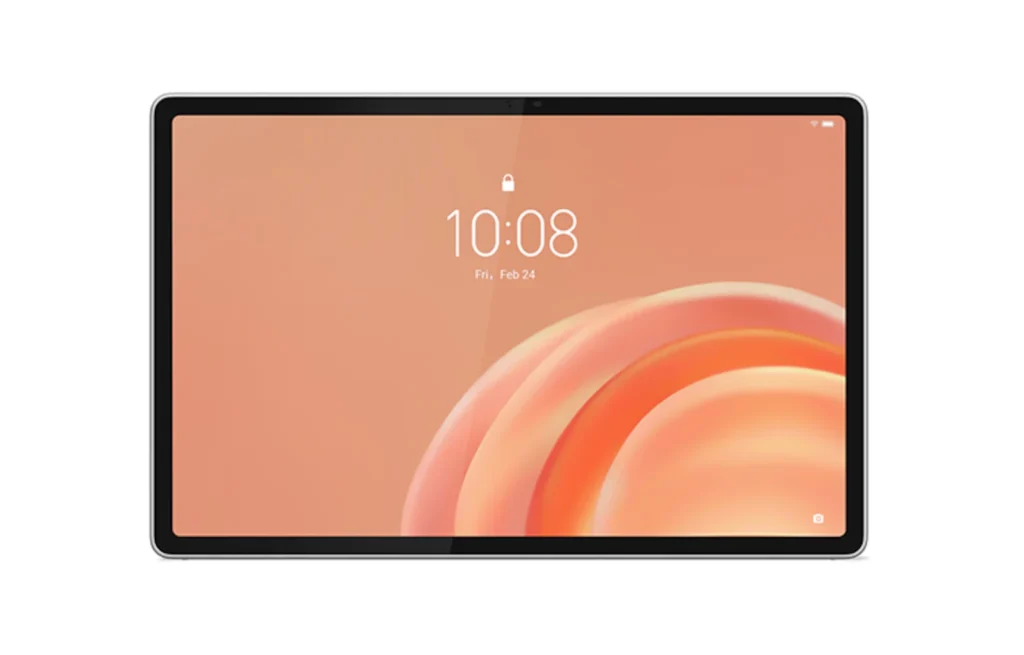
Viewing angles are good, although brightness drops slightly when viewed from more extreme angles. Outdoor visibility is acceptable thanks to the high peak brightness, although reflections remain noticeable under direct sunlight.
The biggest compromise is the use of an LCD panel rather than OLED. OLED displays offer deeper blacks, higher contrast and better control in dark scenes. That difference is particularly visible when watching movies in a dark room.
However, the Tab Plus Gen 2’s LCD panel is still very good for its category. The combination of 2.5K resolution, 120Hz refresh rate and high brightness makes it a strong display for everyday entertainment. Netflix playback benefits from Widevine L1 certification, while YouTube supports high-resolution playback. Overall, the screen complements the speaker system well and reinforces the tablet’s focus on media consumption.
The Tab Plus Gen 2 is powered by the MediaTek Dimensity 7400, paired with 8GB of LPDDR5 RAM and either 128GB or 256GB of UFS 3.1 storage depending on the configuration. A microSD card can also be used to expand storage.
This is a mid-range platform, and the tablet’s performance reflects that. For everyday tasks, the Dimensity 7400 is more than capable. Browsing, watching videos, switching between applications and using split-screen multitasking all feel responsive.
The 120Hz display also helps the tablet feel faster during normal use. Menus and animations remain smooth, and applications generally open without significant delays. However, the limitations become more obvious with demanding applications.
We found that heavier multitasking could push the 8GB of RAM toward its limits, particularly when several Chrome tabs, YouTube and other applications were open simultaneously. The tablet remains usable, but it is not designed to replace a higher-end productivity tablet. Video editing is another area where the limits become apparent. Short projects are workable, but more complicated 4K projects can result in noticeable lag while scrubbing through the timeline and lengthy export times.
This is therefore a tablet that performs best when its workload remains within the range of everyday entertainment and general productivity.
Gaming is where the Tab Plus Gen 2’s mid-range hardware becomes most obvious. The Dimensity 7400 can handle less demanding games well, but modern graphically intensive titles require lower settings to achieve playable frame rates.
In our testing, demanding games such as Wuthering Waves and CarX Street struggled at higher graphics settings. Lowering the quality settings improved performance, but the tablet is clearly not intended to compete with dedicated gaming tablets or higher-end Android tablets.
Call of Duty Mobile performed much better with lower graphics settings and a higher frame-rate target, while PUBG was also playable with an appropriate graphics configuration. Fortnite required reduced settings to reach a more comfortable frame rate, while Roblox performance varied considerably depending on the scene and graphics load.
Thermals were generally well controlled. Temperatures reached around 38–40°C during extended gaming sessions, without excessive heat becoming a major issue. The Tab Plus Gen 2 can therefore handle casual gaming, but it should not be purchased primarily as a gaming tablet.
The Tab Plus Gen 2 launches with Android 16 and Lenovo’s ZUI interface. Lenovo also includes features such as split-screen multitasking, floating windows, Desk Mode and Smart Connect. Desk Mode provides a more desktop-like interface with individual application windows, while Smart Connect allows supported devices to share files, notifications and other content.
The software experience is generally straightforward, although the tablet does come with additional pre-installed applications that not everyone will need. The bigger concern is long-term support.
Lenovo promises two Android OS upgrades and four years of security updates, taking security support to 2030. Two major Android upgrades is relatively limited compared with some competing tablets that now receive substantially longer software support.
For a tablet intended primarily for media consumption, this may not be a deal-breaker. However, anyone planning to keep the device for many years should consider the shorter OS support period before buying.
The Tab Plus Gen 2 supports the Lenovo Tab Pen Plus, but the stylus is sold separately. The pen offers pressure sensitivity and works adequately for basic writing, drawing and document annotation. However, we would not consider this the tablet’s strongest productivity feature.
Light handwriting can occasionally fail to register properly, and the writing experience is not as refined as what is available from higher-end Samsung or Apple tablets. The rear kickstand also creates a practical limitation. When writing on a flat surface, the rear structure can cause the tablet to wobble depending on where pressure is applied. For signing documents, marking up PDFs or making occasional notes, the pen support is useful. For students or users who intend to take extensive handwritten notes, there are better options.
The Tab Plus Gen 2 uses a 10,200mAh battery with support for 45W charging. Battery endurance is one of the tablet’s strengths.
During our testing, normal mixed usage involving browsing, YouTube, streaming and general tablet use comfortably provided a full day of use. Lenovo also rates the tablet for up to 15 hours of YouTube streaming under its specified test conditions.
At maximum brightness, our more demanding video streaming test produced around six hours and 40 minutes of runtime. Lowering brightness significantly improves endurance. Pure media playback can stretch considerably longer under lighter conditions, although running the speakers at high volume naturally increases power consumption.
The 45W charging support is useful for a battery this large. A full charge still takes around an hour and a half under our testing conditions, but top-ups are reasonably quick for the battery capacity. Lenovo also includes battery protection options that can limit charging to 80% to help reduce long-term battery wear.
The Tab Plus Gen 2 features a 13-megapixel autofocus rear camera and an 8-megapixel fixed-focus front camera. As with most tablets, the cameras are primarily intended for convenience rather than photography.
The rear camera is suitable for document scanning, quick photographs and basic video recording. It can record video at up to 4K resolution. The front camera is more important for video calls and meetings. It records at up to 1080p and provides reasonable image quality in good lighting.
Neither camera is a reason to buy the tablet, but both are adequate for the tasks most users are likely to perform.
The Lenovo Tab Plus Gen 2 is a difficult tablet to compare directly with conventional alternatives because Lenovo has built it around a very specific idea. At its expected starting price of around $399, the hardware is not particularly impressive if performance is the only consideration. The Dimensity 7400 is a mid-range chipset, gaming performance is limited, the USB-C port is restricted to USB 2.0 and software support is shorter than some competitors.
But that is not really what makes the Tab Plus Gen 2 interesting. The nine-unit JBL speaker system is the standout feature. It is loud, produces significantly more bass than conventional tablet speakers and makes the device particularly enjoyable for movies, YouTube, music and podcasts. Bluetooth Speaker Mode adds another useful dimension.
The 12.1-inch 2.5K 120Hz display is also well suited to entertainment, while the 360-degree kickstand makes the tablet more versatile without requiring a separate stand. The compromises are equally clear. At around 760–775g, it is heavy. The rear speaker housing makes it bulky, OLED alternatives offer better contrast, gaming performance is limited and two Android OS upgrades are not particularly competitive.
The Lenovo Tab Plus Gen 2 therefore makes the most sense for users who want a tablet primarily for entertainment. If the tablet will spend most of its time on a desk, bedside table or kitchen counter playing videos, music and podcasts, the design makes considerable sense. It is less suitable for students who need a serious note-taking device, gamers looking for high-end performance or users who want a thin and lightweight tablet for prolonged handheld use.
Lenovo could have built another conventional tablet. Instead, it built something with a clear purpose. For users who value audio and media consumption above raw performance, the Tab Plus Gen 2 is one of the more distinctive options in its price range.
Also Read: Lenovo ThinkPad X1 Carbon Gen 14 Aura Edition Review

HONOR Pad X9b Max review: We test its 13-inch 2.5K 120Hz display, 10,100mAh battery, performance, speakers, cameras and productivity features.
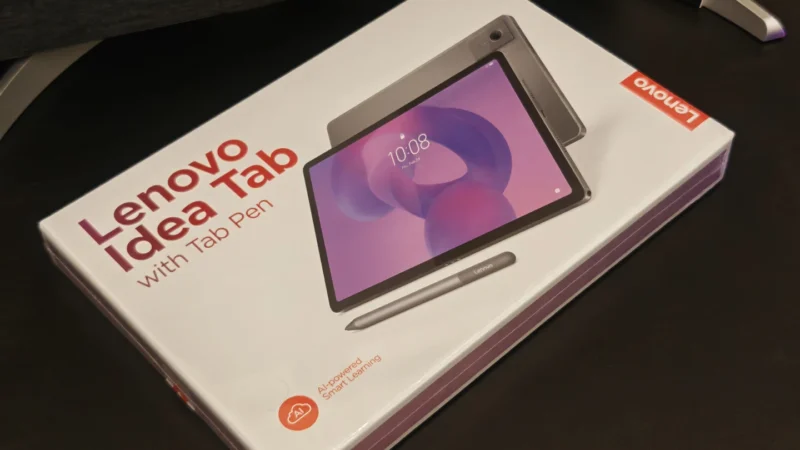
The Lenovo Idea Tab Review: this tablet offers a well-rounded experience at a highly competitive price point.
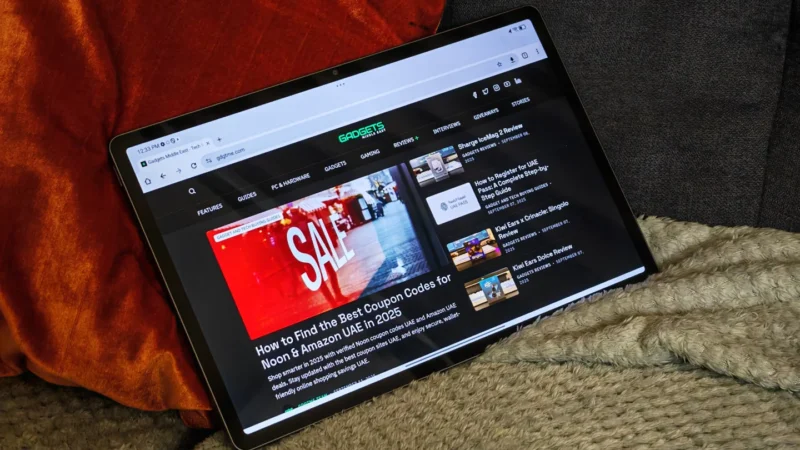
Lenovo Idea Tab Pro Review: The Lenovo Idea Tab Pro delivers an impressive balance of performance, features, and affordability.
 Joshua James