
TOZO NC9 Pro Review: Feature-Rich Wireless Earbuds with a Touchscreen Case
TOZO NC9 Pro review: We test its adaptive ANC, LDAC audio, touchscreen case, Bluetooth 6.0, sound quality, battery life and everyday performance.
The A1 is best suited to users who value portability, smartphone integration, and design alongside storage functionality. Those looking for a straightforward external SSD enclosure may find more affordable alternatives, but the A1 offers a more distinctive experience.
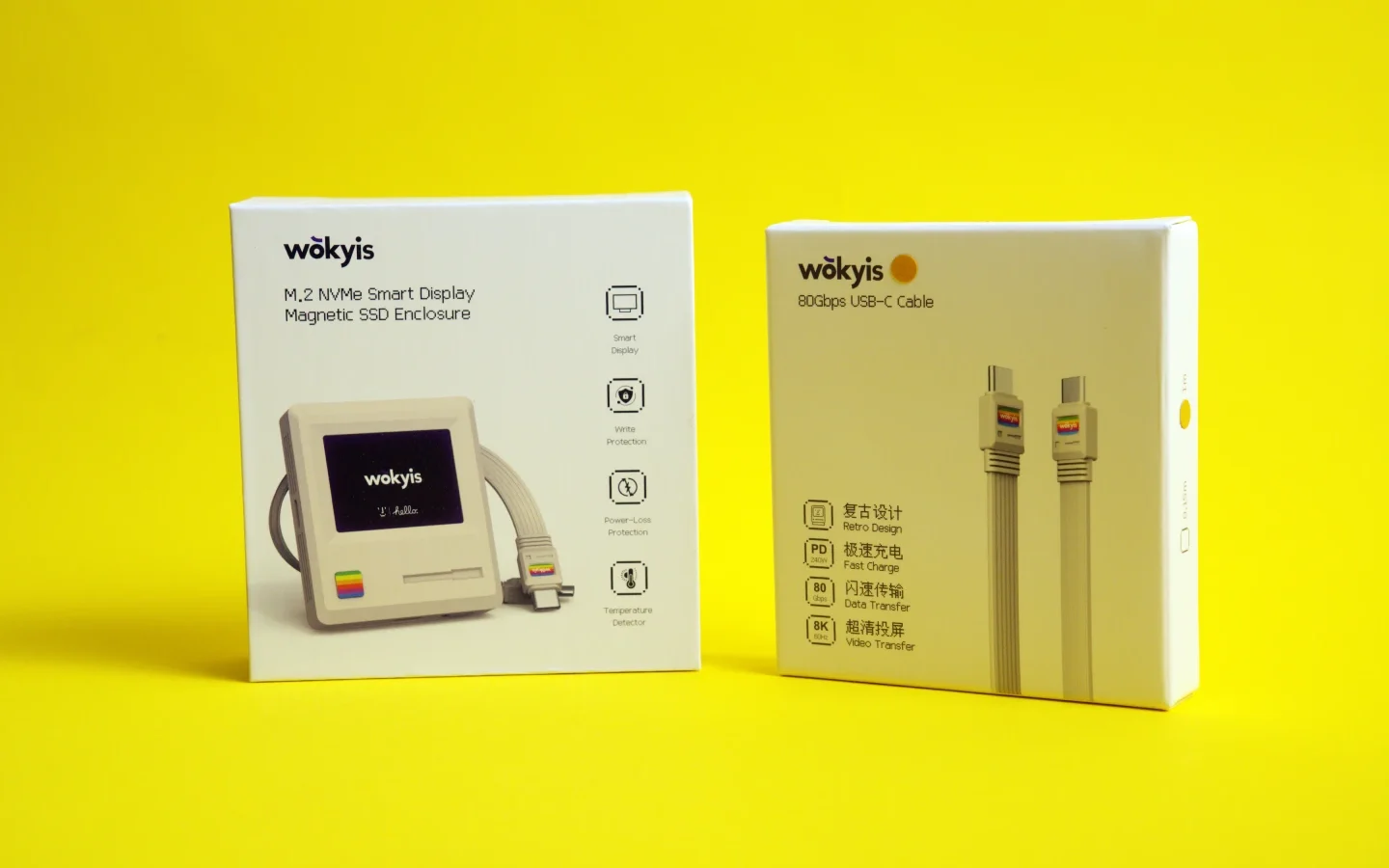
The Wokyis A1 is a compact NVMe SSD enclosure designed for users who want portable storage with a distinctive retro-inspired design. Featuring a small LCD, magnetic attachment, and USB-C connectivity, it offers an interesting approach to expanding storage on compatible smartphones and other devices.
We used the A1 with the Wokyis UCC01 USB-C cable to connect the enclosure to a smartphone, making the combination particularly relevant for users who record video, manage large files, or need additional external storage on the go.
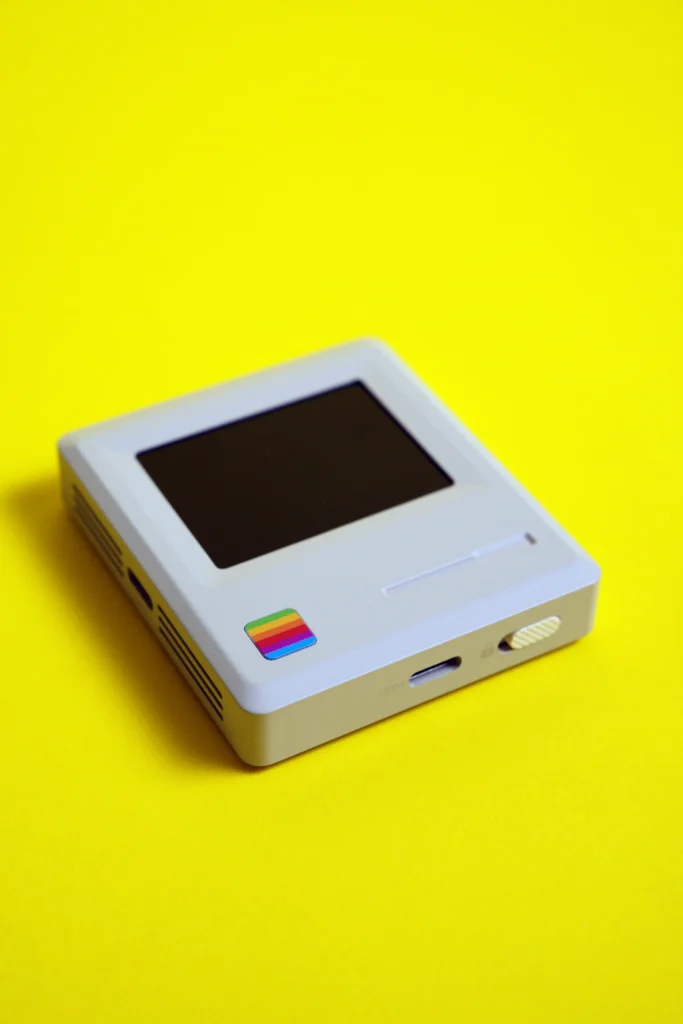
The Wokyis A1 takes a different approach to conventional portable SSD enclosures. Its compact, square design features a retro-inspired aesthetic that makes it resemble a miniature electronic accessory from an earlier era.
Measuring 58.8 × 58.8 × 13.9mm and weighing 75g, the enclosure remains relatively small and lightweight. Its aluminum construction gives it a solid feel, while the matching aluminum SSD cover provides protection for the installed drive.
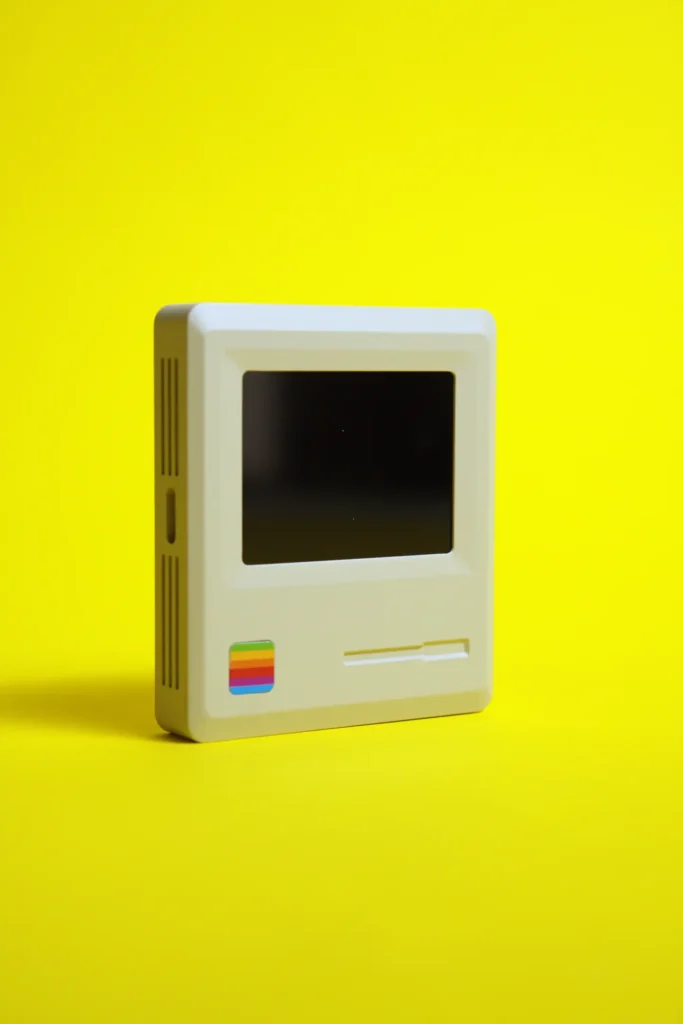
The magnetic attachment system is particularly useful for smartphone users. The included magnetic ring allows compatible MagSafe-equipped devices to attach the enclosure securely to their rear panels. This arrangement keeps the SSD close to the phone instead of requiring a separate mounting solution.
The enclosure also includes a protective carrying pouch, making it easier to transport alongside other accessories.
One of the A1’s most distinctive features is its 2-inch LCD display, which offers a resolution of 320 × 240 pixels.
Rather than functioning as a conventional status indicator, the screen contributes to the enclosure’s retro appearance while providing a visual interface. The display can show information about the enclosure and its operation, giving it a more interactive feel than standard SSD housings.
A dedicated toggle button allows users to change the display language, while another switch enables or disables read-only mode for the installed SSD.
The read-only functionality is particularly useful when accessing important files. It provides an additional layer of protection against accidental modifications, although it should not replace regular backups.
The Wokyis A1 supports M.2 2230 NVMe SSDs, measuring 22 × 30mm, with capacities of up to 2TB.
Installing the drive requires opening the enclosure and securing the SSD using the supplied screw and screwdriver. Wokyis also includes a silicone thermal pad to assist heat transfer from the drive during operation.
The enclosure’s compact dimensions make the choice of SSD particularly important. Standard M.2 2280 drives are not supported, so users need to ensure they purchase the appropriate 2230 form factor.
This is worth considering before purchasing, especially for users who already have an SSD available for reuse.
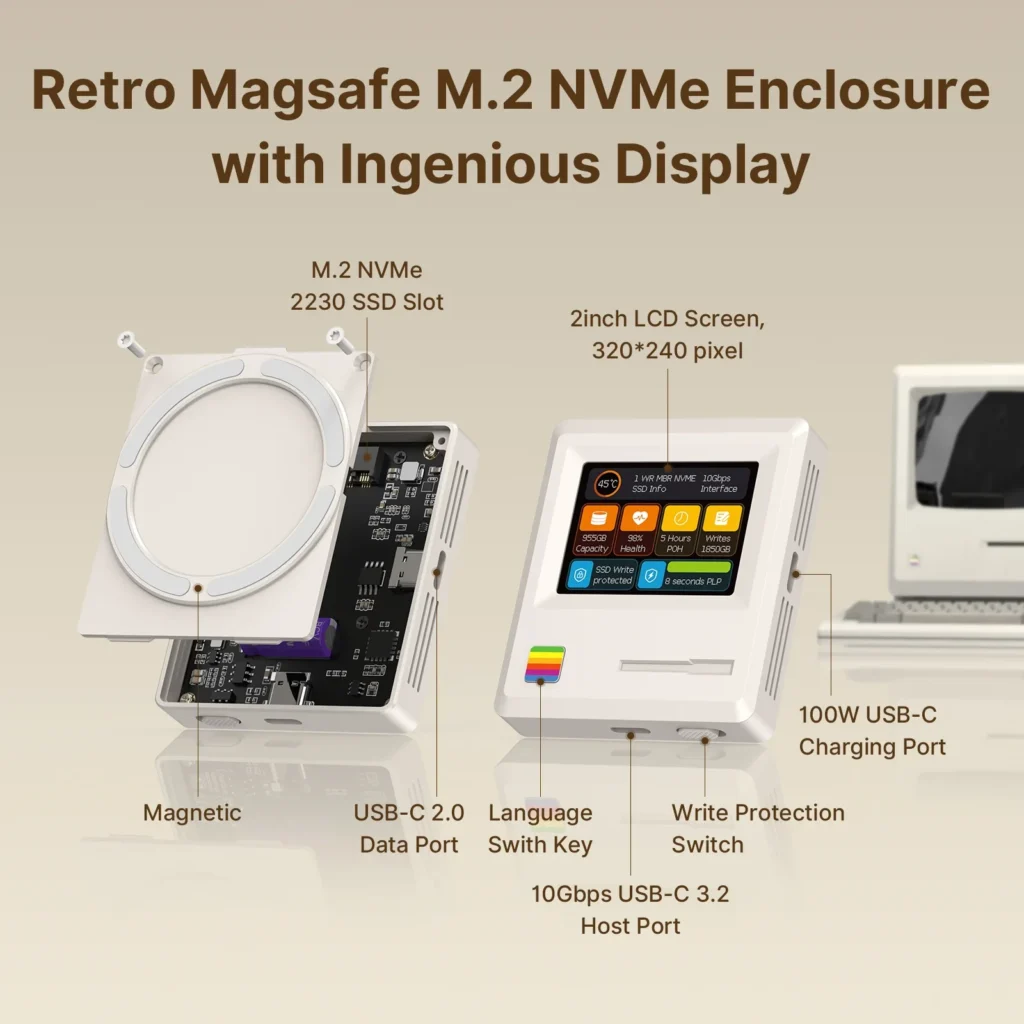
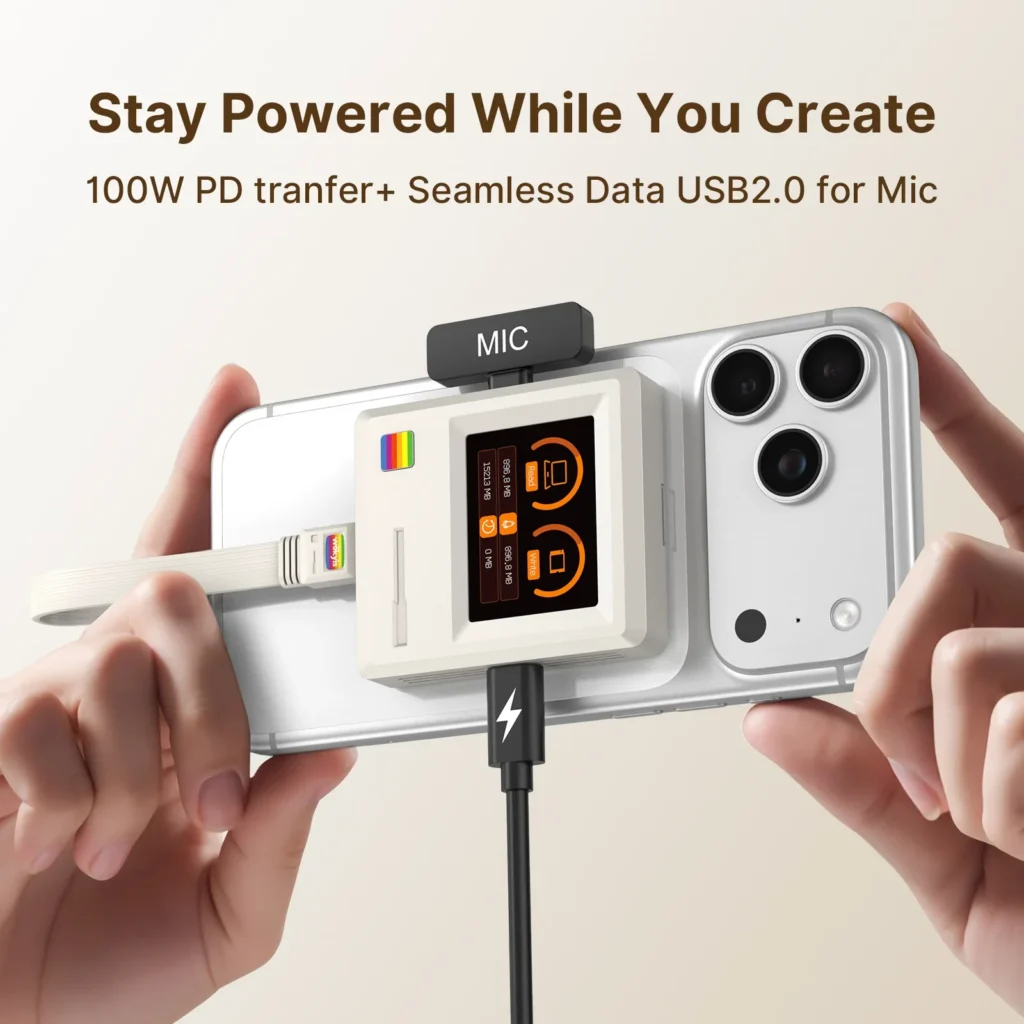
The A1 features USB-C connectivity with support for USB 3.2 Gen 2 data transfer at up to 10Gbps.
This interface provides sufficient bandwidth for transferring large files, managing video footage, and accessing stored content from compatible devices. However, actual performance depends on the installed SSD, the connected device, and the file transfer workload.
The enclosure also includes separate USB-C interfaces for additional functionality:
The additional interfaces provide flexibility beyond basic storage connectivity, although users should refer to the manufacturer’s documentation for their intended configurations.
The A1 is particularly interesting for smartphone users who regularly work with large video files.
Compatible iPhone models include the iPhone 15 Pro, iPhone 16 Pro and iPhone 17 Pro series, including their respective Pro Max variants. Standard and Plus models from these generations are not listed as compatible.
With an external NVMe SSD connected, users can expand their available storage without relying entirely on the phone’s internal capacity. This is useful for managing large video recordings, transferring footage, and keeping additional files accessible.
The magnetic attachment also makes the combination easier to handle. Instead of carrying a separate drive connected through a loose cable, the enclosure can remain attached to the back of the smartphone.
However, the A1 is not a universal smartphone storage accessory. Its compatibility limitations and SSD requirements should be considered before purchasing.
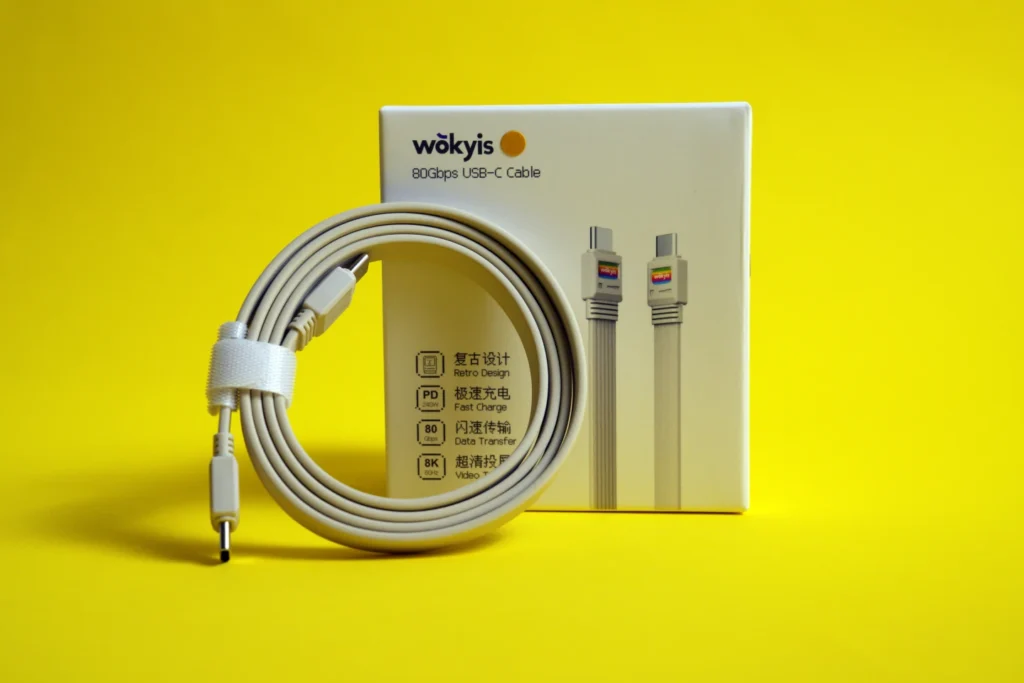
We also used the Wokyis UCC01 cable to connect the enclosure to the smartphone.
The UCC01 is a 1-metre flat USB-C cable with support for USB4 data transfer rates of up to 80Gbps, power delivery up to 240W, and video output up to 8K at 60Hz. It is also compatible with Thunderbolt 5, Thunderbolt 4 and Thunderbolt 3, alongside supported USB-C connections. Wokyis+1
Its flat design helps keep the cable organised, while its length offers more flexibility than the short connection cable included with the A1.
Although the UCC01 supports substantially higher bandwidth than the A1’s 10Gbps storage interface, this does not increase the enclosure’s maximum transfer speed. The cable’s additional bandwidth is useful when connecting it to other compatible devices.
The UCC01 is therefore best viewed as a versatile connectivity accessory rather than a performance upgrade for the A1 itself.
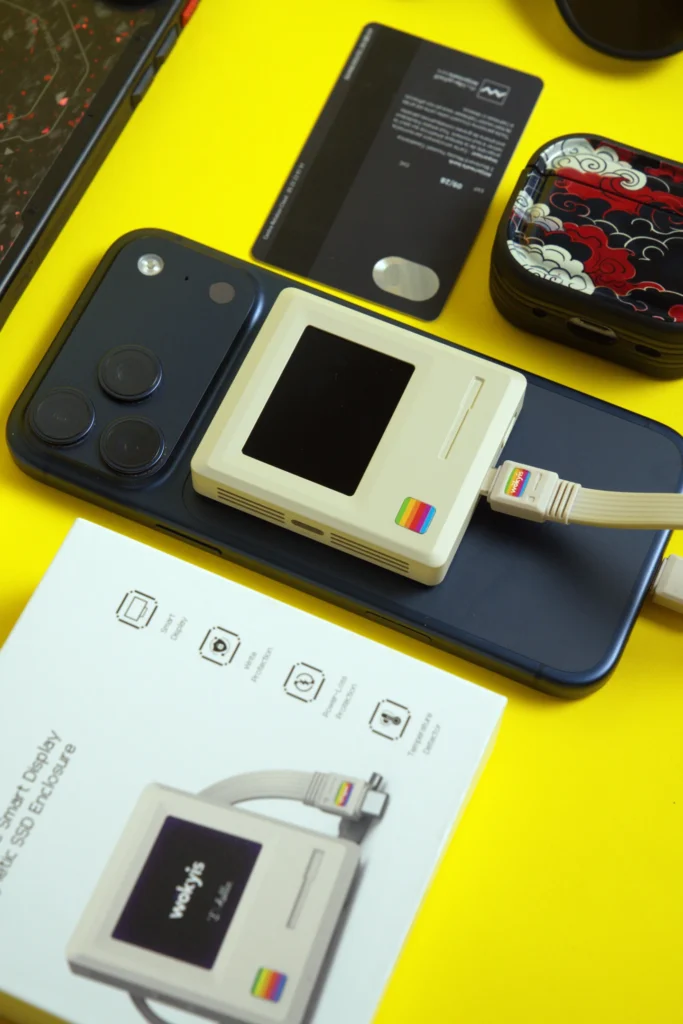
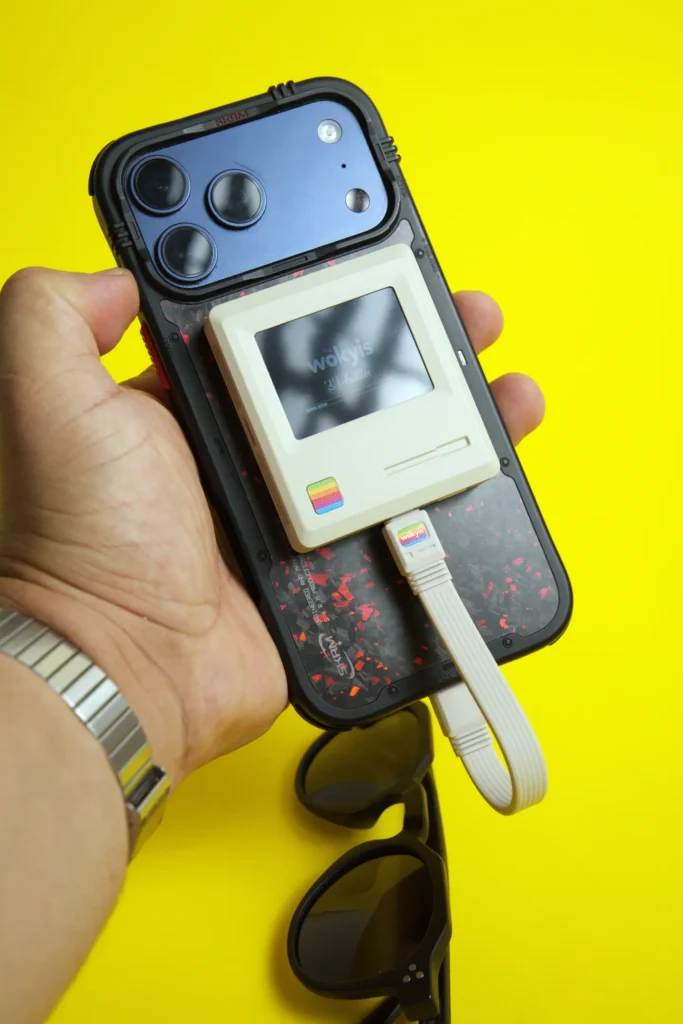
The Wokyis A1 is designed around portability and convenience.
Its compact size makes it suitable for carrying alongside a smartphone, while the magnetic attachment helps keep the enclosure positioned close to the device during use.
The LCD is an appealing addition, particularly for users who appreciate retro-inspired hardware. The read-only switch also provides practical functionality for situations where stored files should remain unchanged.
The main consideration is that the A1 requires an SSD to be purchased and installed separately. Users must also account for the enclosure’s limited SSD form factor and smartphone compatibility.
For users who already have a suitable M.2 2230 NVMe drive, the A1 offers an opportunity to repurpose it as portable storage.
At the time of writing, Wokyis lists the A1 at $39.99, reduced from its advertised $49.99 regular price. The UCC01 cable is listed separately, with pricing varying depending on the product listing.
The enclosure’s value depends largely on what users expect from it. A conventional SSD enclosure may be a more economical option for users who simply need external storage. However, the A1 offers a more distinctive design, magnetic smartphone attachment, a built-in LCD, and read-only functionality.
The additional cost may be justified for users who want a compact storage accessory specifically for compatible iPhones.
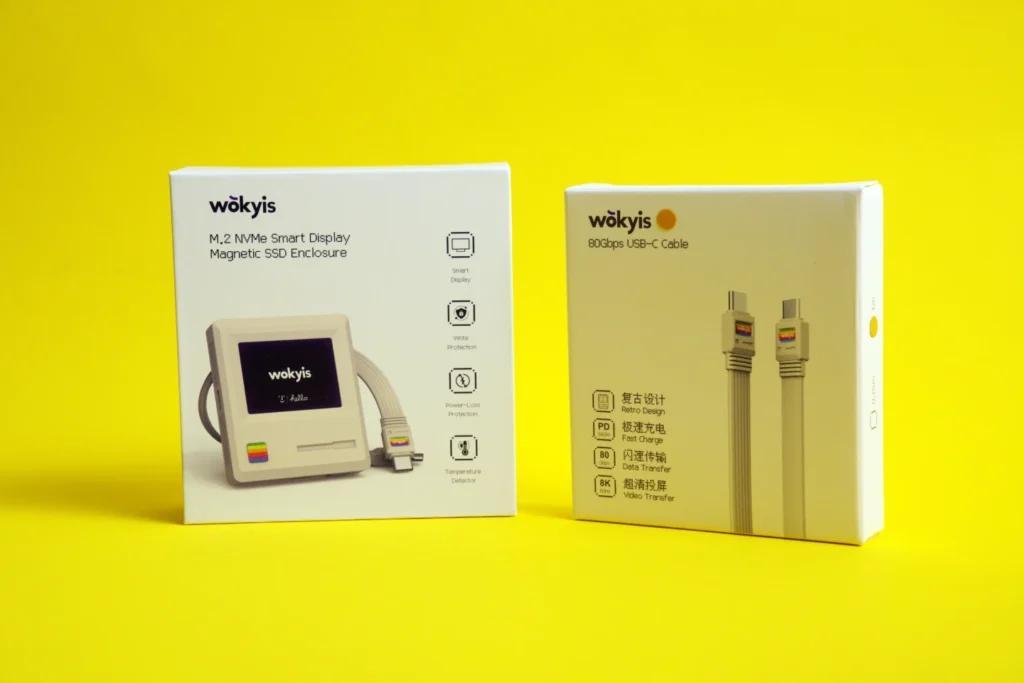
The Wokyis A1 is a compact SSD enclosure that combines practical external storage with a distinctive retro-inspired design. Its magnetic attachment, lightweight aluminum construction, LCD display, and read-only functionality make it an interesting accessory for compatible iPhone users who regularly manage large files.
The 10Gbps interface is adequate for everyday storage tasks, although it does not take full advantage of the higher bandwidth offered by the UCC01 cable. The latter remains a useful accessory for users who also connect their storage devices to USB4 and Thunderbolt-compatible computers.
Ultimately, the A1 is best suited to users who value portability, smartphone integration, and design alongside storage functionality. Those looking for a straightforward external SSD enclosure may find more affordable alternatives, but the A1 offers a more distinctive experience.
The Wokyis A1 supports M.2 2230 NVMe PCIe SSDs with capacities of up to 2TB.
No. It is designed for the iPhone 15 Pro, 16 Pro and 17 Pro series, including their Pro Max variants.
The enclosure supports USB 3.2 Gen 2 connectivity at up to 10Gbps.
No. Although the UCC01 supports USB4 bandwidth up to 80Gbps, the A1’s own interface remains limited to 10Gbps.
No. An M.2 2230 NVMe SSD must be purchased separately and installed inside the enclosure.
Also Read: Redragon Volcano K526 PRO Review

TOZO NC9 Pro review: We test its adaptive ANC, LDAC audio, touchscreen case, Bluetooth 6.0, sound quality, battery life and everyday performance.
Our Snowsky ECHO review examines its sound quality, build, 4.4mm balanced output, battery life, Bluetooth, USB DAC features and overall value.
FiiO FG3 Review: an interesting first attempt at a gaming headset from a company with a strong background in personal audio.
 Joshua James