
TOZO NC9 Pro Review: Feature-Rich Wireless Earbuds with a Touchscreen Case
TOZO NC9 Pro review: We test its adaptive ANC, LDAC audio, touchscreen case, Bluetooth 6.0, sound quality, battery life and everyday performance.
The TP-Link Archer AX90 Wi-Fi 6 router adopts the AX6600 tri-band specs, offering speeds up to 6600Mbps.
The TP-Link Archer AX90 is a AX6600 tri-band Wi-Fi 6 router offering speeds up to 6600Mbps (4804 Mbps over 5 GHz, 1201 Mbps over 5 GHz and 574 Mbps over 2.4 GHz).
All three frequencies use 802.11ax wireless output and the router’s built-in 1.5GHz quad-core processor helps enhance the router’s load capacity and wireless performance.
While most routers mainly adopt dual-band specifications (a 5GHz and a 2.4GHz), including the AX10 and AX50 which we reviewed earlier, the Archer AX90 uses three bands. There are two 5GHz and one 2.4GHz respectively. One 5GHz has a speed of 4804Mbps, and the other 5GHz has 1201Mpbs.
Devices are allocated to the different bands depending on requirements. For example, devices that require faster connection speeds such as game consoles, TVs or mobile phones can be connected to the faster 5GHz, while smart-home devices can be connected to 2.4GHz. This helps reduce signal interference between different wireless devices.
The Archer AX90 also supports TP-Link OneMesh, which can be combined with other TP-Link OneMesh extenders to form a seamless mesh network.
Wi-Fi 6 or 802.11ax is the new standard for wireless networks. It is roughly 30% faster than the old 801.11ac (Wi-Fi 5) standard and offers improved network performance when multiple devices are connected to the same network.
| Standards | Wi-Fi 6 IEEE 802.11ax/ac/n/a 5 GHz IEEE 802.11ax/n/b/g 2.4 GHz |
| WiFi Speeds | AX6600 5 GHz: 4804 Mbps (802.11ax, HE160) 5 GHz: 1201 Mbps (802.11ax) 2.4 GHz: 574 Mbps (802.11ax) |
| WiFi Range | 8x Fixed High-Performance Antennas Multiple antennas form a signal-boosting array to cover more directions and large areas Beamforming Concentrates wireless signal strength towards clients to expand WiFi range High-Power FEM Improves transmission power to strengthen signal coverage 4T4R Multiple streams in the same band strengthen the fault tolerance in transmission |
| WiFi Capacity | Tri-Band Allocate devices to different bands for optimal performance 4×4 MU-MIMO Simultaneously communicates with multiple MU-MIMO clients OFDMA Simultaneously communicates with multiple Wi-Fi 6 clients Airtime Fairness Improves network efficiency by limiting excessive occupation DFS Access an extra band to reduce congestion 8 Streams Connect your devices to more bandwidth |
| WiFi Encryption | WPA WPA2 WPA3 WPA/WPA2-Enterprise (802.1x) |
| Network Security | SPI Firewall Access Control IP & MAC Binding Application Layer Gateway |
| WAN Types | Dynamic IP Static IP PPPoE PPTP L2TP |
| Processor | 1.5 GHz Quad-Core CPU |
| Ethernet Ports | 1× 2.5 Gbps WAN/LAN Port 1× 1 Gbps WAN/LAN Port 3× 1 Gbps LAN Ports |
| USB Ports | 1× USB 3.0 Port 1× USB 2.0 Port Supported Partition Formats: NTFS, exFAT, HFS+, FAT32 Supported Functions: Apple Time Machine FTP Server Media Server Samba Server |
| Buttons | Wi-Fi On/Off Button Power On/Off Button LED On/Off Button WPS Button Reset Button |
| Power | 12 V ⎓ 3.3 A |
| Dimensions | 311 × 207 × 174 mm (12.2 × 8.1 × 6.8 in) |
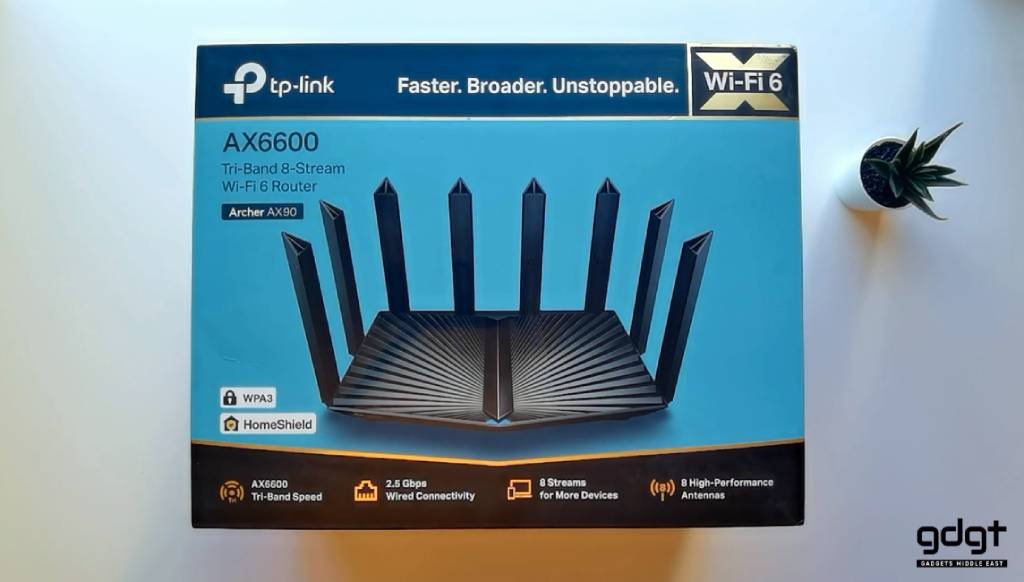
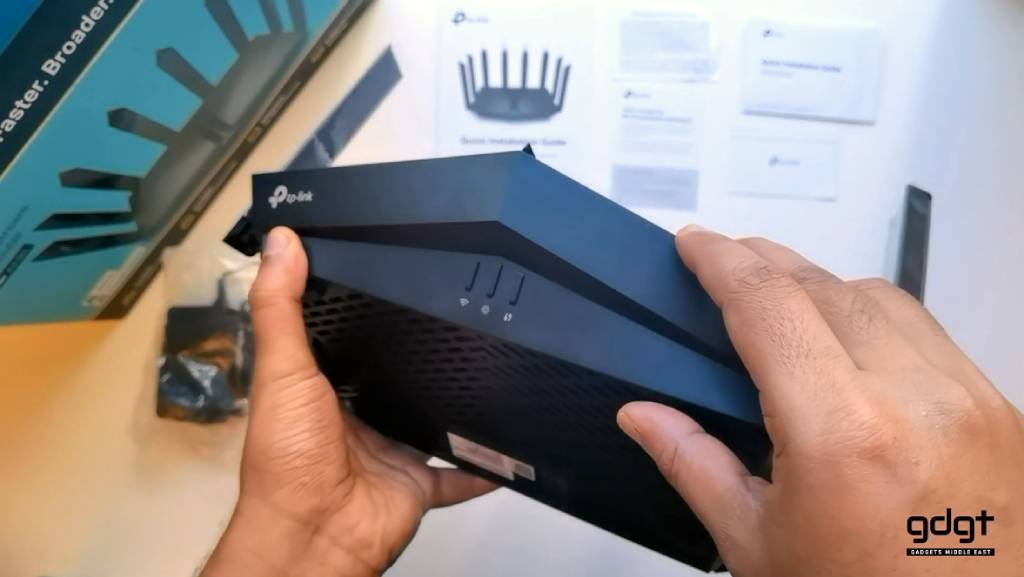
The TP-Link Archer AX90 arrives in a large TP-Link branded box with details and specifications on the sides. The router is well protected by foam, accessories are organized into cardboard compartments to prevent damage.
The package includes:
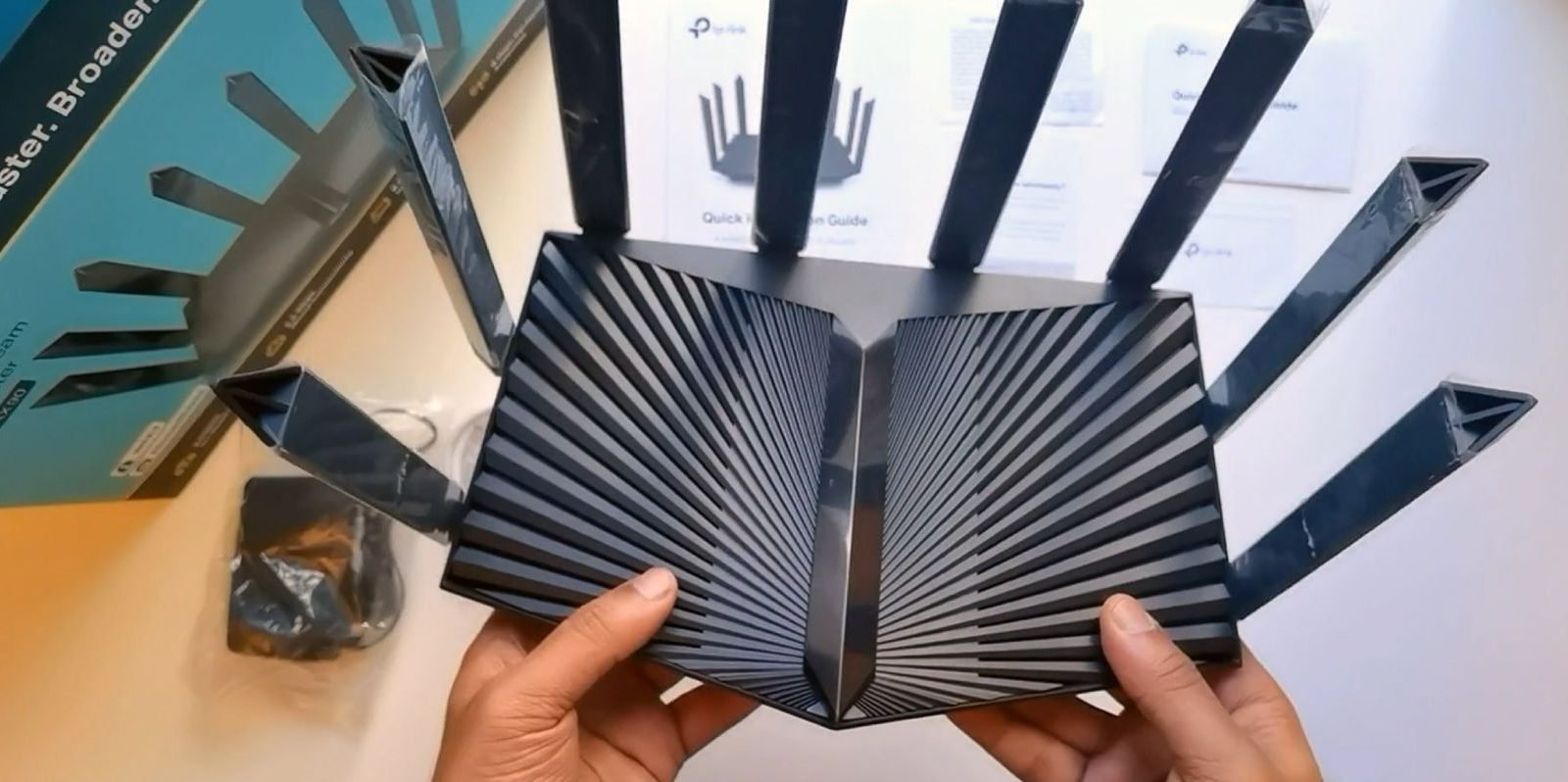
While the design language is similar to AX60, the Archer AX90 is a much larger device with 8 antennas. Unfortunately, the antennas are built-in and cannot be replaced.
It is made of a combination of matt and glossy plastics. The build quality is good but the glossy plastic parts tend to scratch easily and quickly collect fingerprints and dust.
There is a lot of connectivity options on the AX90. On the left is a USB 3.0 port. All the other ports are located behind the router, this includes one USB 2.0, power adaptor and power switch, a reset button, a 2.5 Gbps WAN/LAN port and a 1 Gbps WAN / LAN one channel, and 3 more 1 Gbps LAN ports.
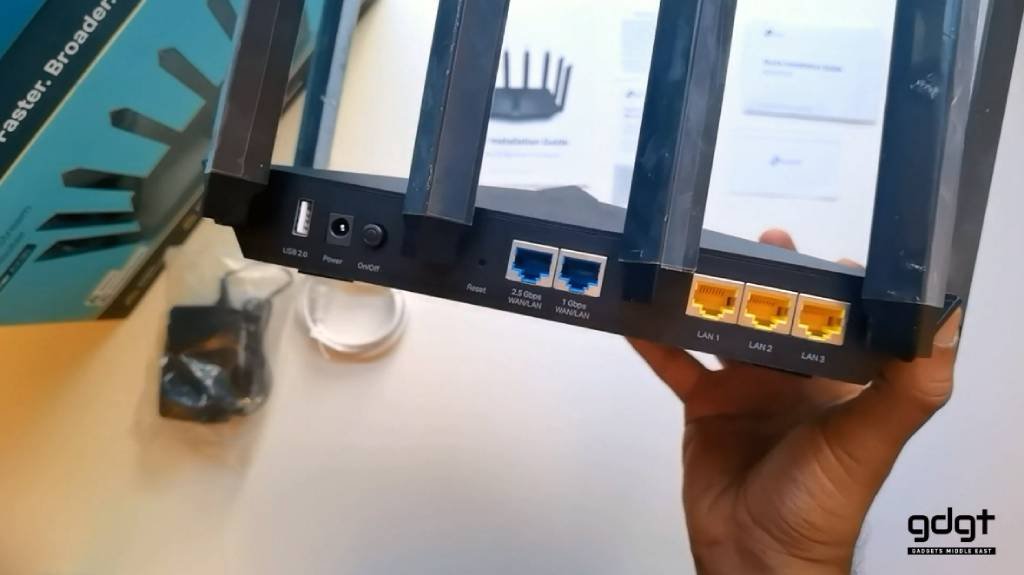
The USB ports allows connecting to external storage devices to share files over the network, provide SMB or FTP access, and supports Apple Time Machine backup. Unfortunately, it cannot be used to share a USB printer.
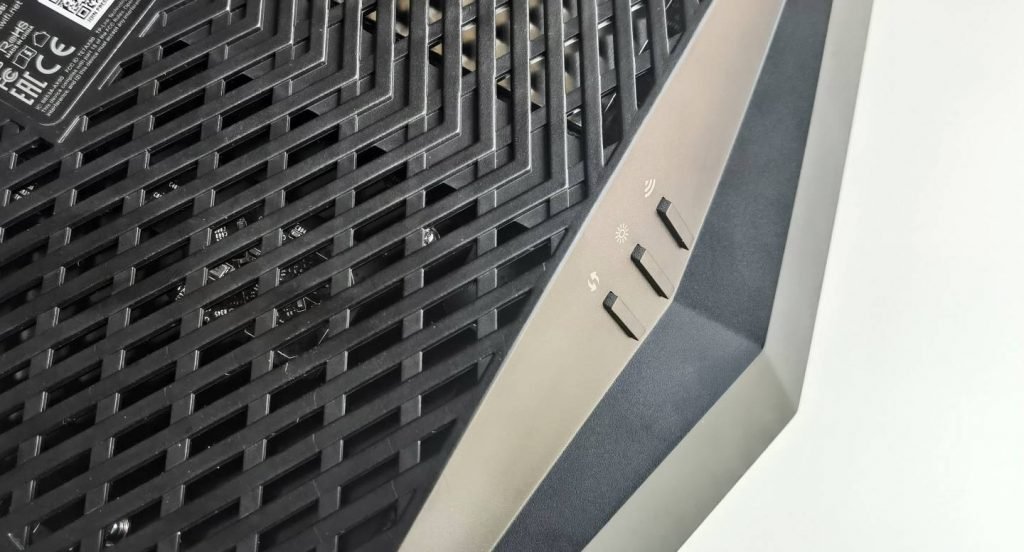
At the front are three discreet buttons for Wi-Fi, Power and WPS. At the bottom are the cooling vents. There are also two hooks for wall mounting here and there are four small plastic stands on each corner.
Once connected by cables or Wi-Fi, the router will prompt you for the initial setup when you start your Internet browser. Alternatively, just enter the internet address tplinkwifi.net in the address bar.
You can also use the Tether app, which works on the local network, for configuration and management. It is available for both smartphones and tablets on iOS and Android. Tether works on the local network. You also have the option to register a TP-Link account ID during installation, which will enable access to cloud services. From there, you can control your entire network remotely.
The settings are divided into basic and advanced, with the most essential options at the top. We really liked the new GUI as it has all the vital information in the basic section which is all the average user really needs.
OFDMA and MU-MIMO technologies are also worth mentioning. Traditional routers that use the older SU-MIMO standard serve only one user at a time, while other users have to wait, which reduces performance and overall capacity.
MU-MIMO technology solves this problem by creating several simultaneous connections serving multiple users at the same time, even when gaming online, watching 4K videos or sending large files.
The router allows us to configure the different networks, which can work separately or as a combined network. With Smart Connect, the router automatically assigns the network depending on what the connecting device supports. It also offers an option to setup a Guest Wi-Fi network, with or without a password.
With TP-Link OneMesh Extender, users can build a Wi-Fi mesh network and use a single SSID to form a huge Wi-Fi network without blind spots.
Archer AX90 also supports Amazon Alexa voice control function. Users can control different functions on the Archer AX90 by voice, once fully setup.
And finally, The Archer AX50 comes with an additional feature – the HomeShield suite which includes Antivirus, network security scanning, advanced QoS and parental controls. The HomeShield network security function requires a TP-Link ID to be used.
The TP-Link Archer AX90 offers tri-band Wi-Fi 6, featuring a 160 MHz bandwidth and 1024-QAM, for a total bandwidth of up to 6.6 Gbps (AX6600). For wireless coverage, the router uses 8 external high-performance antennas in order to match the 802.11ax extremely fast transmission with range boost, beamforming technology, and airtime fairness technology.
On the hardware side, the TPLink AX50 has a 1.5GHz Quad Core Intel processor and 1GB of RAM.
When it comes to smart home systems, Archer AX90 also supports Target Wake Time (TWT) technology. The router can determine when and how often devices wake up to effectively send or receive data.
For the performance test, we connected three devices from three different areas.
The TP-Link Archer AX90 is a high-end Wi-Fi 6 router built for large homes and office spaces and is about three times the price of the Archer AX50 (although, cheaper than many other AX6000 alternatives).
If you are looking for a powerful router to cover a large area with high-speed Wi-Fi and 2.5Gbps wired network for connecting multiple devices at the same time, this is a good recommendation. For a more affordable Wi-Fi 6 experience, we recommend the AX50 or AX10 for smaller spaces.

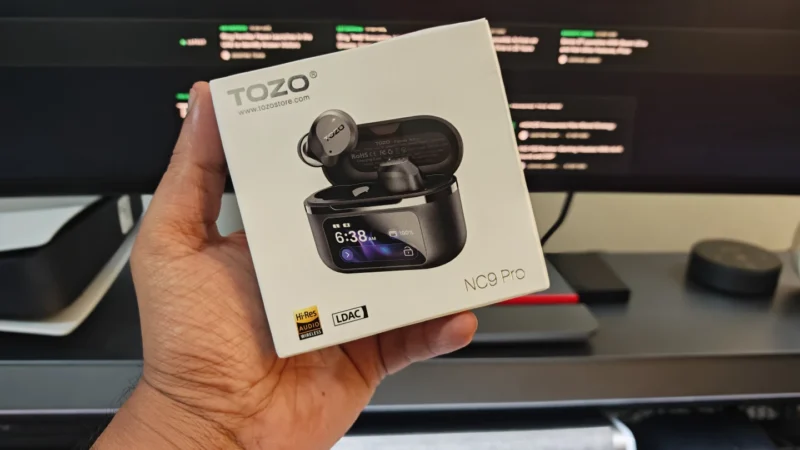
TOZO NC9 Pro review: We test its adaptive ANC, LDAC audio, touchscreen case, Bluetooth 6.0, sound quality, battery life and everyday performance.

Our Snowsky ECHO review examines its sound quality, build, 4.4mm balanced output, battery life, Bluetooth, USB DAC features and overall value.
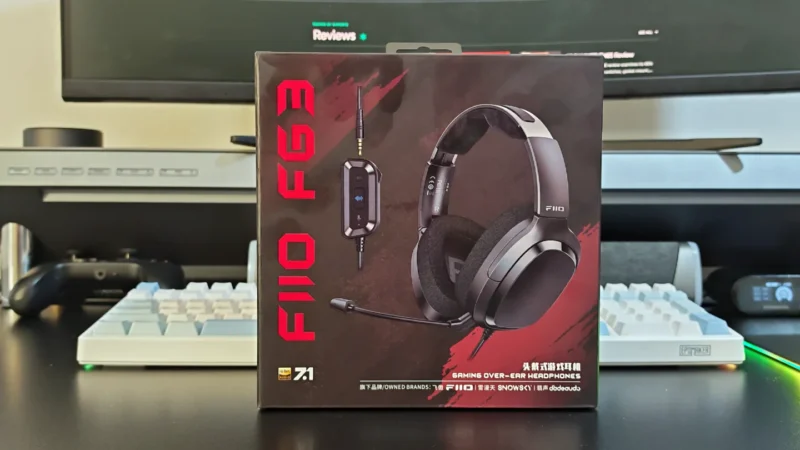
FiiO FG3 Review: an interesting first attempt at a gaming headset from a company with a strong background in personal audio.
 Joshua James