
Lenovo ThinkPad X1 Carbon Gen 14 Aura Edition Review
Lenovo ThinkPad X1 Carbon Gen 14 review covering its design, OLED display, performance, battery life, keyboard, connectivity, repairability and value
We review the Lenovo ThinkBook Plus G6 Rollable, featuring a 14-inch OLED display that expands to 16.7 inches, Intel Core Ultra 7 performance and a unique productivity-focused design.
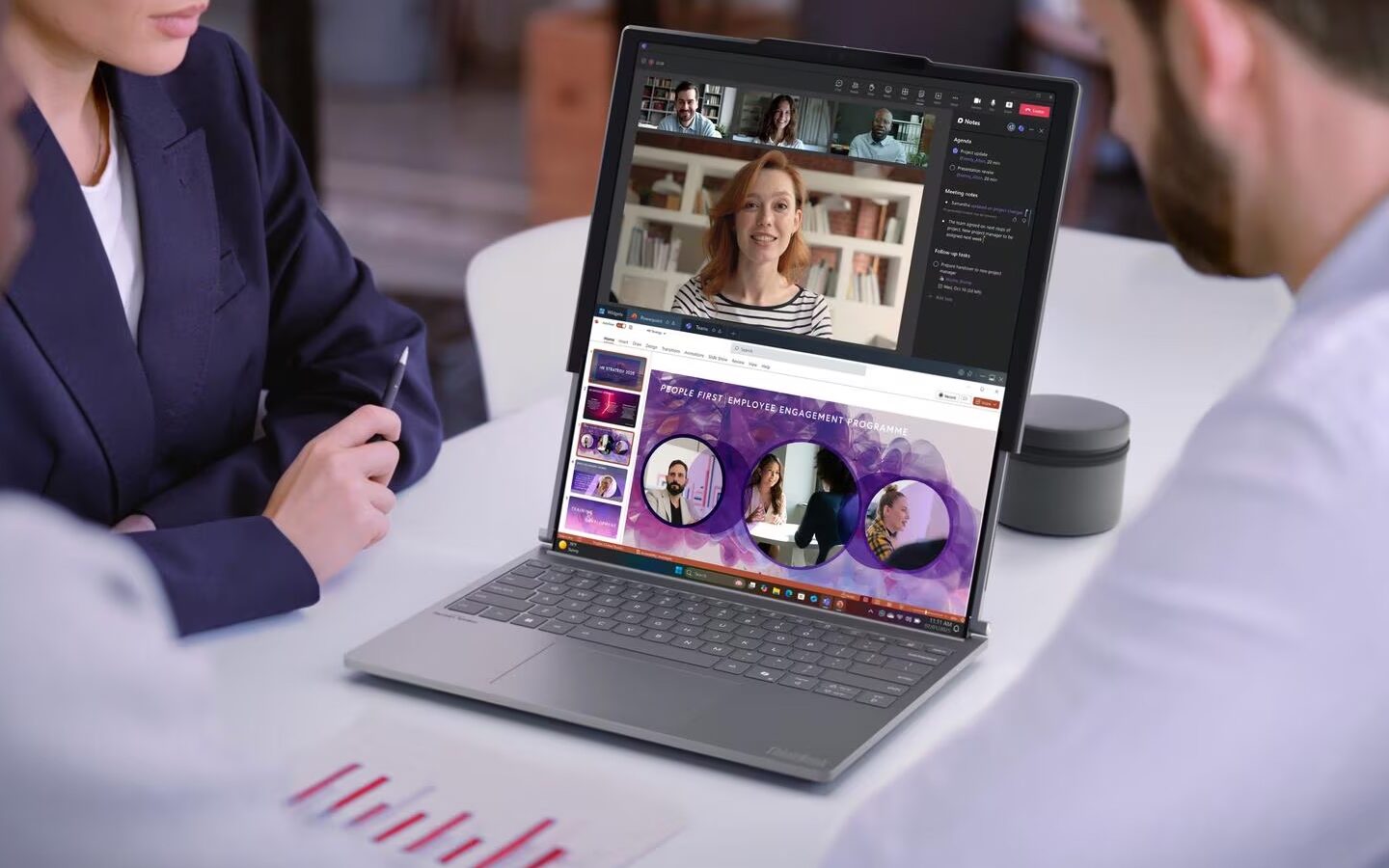
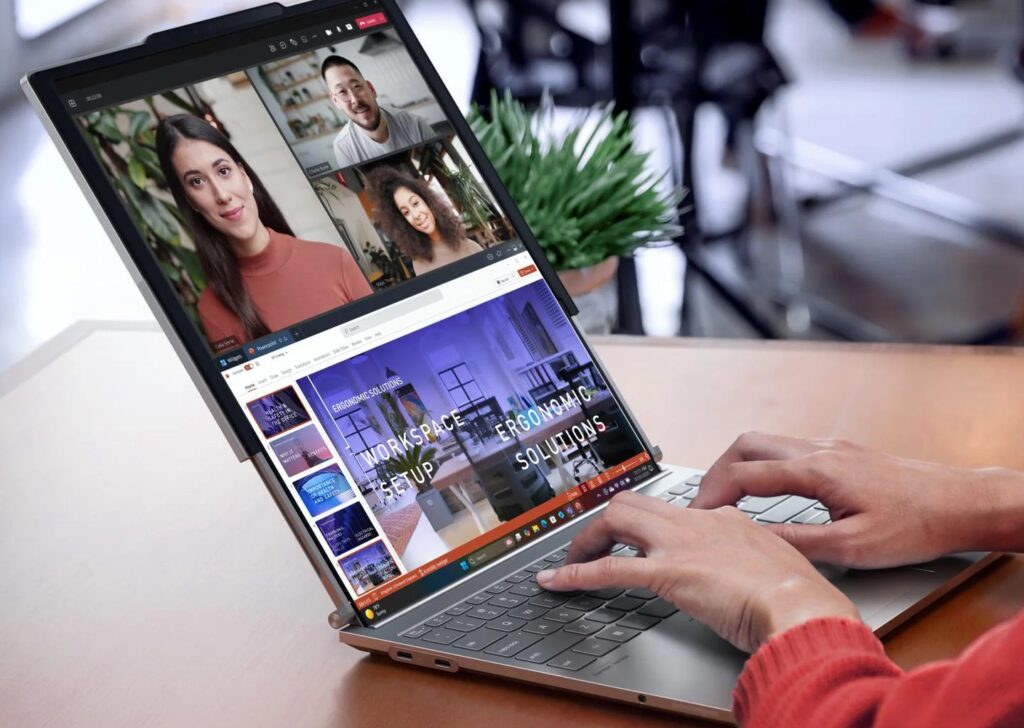
Lenovo has taken a different approach to laptop design with the ThinkBook Plus G6 Rollable, introducing a flexible OLED display that physically expands when additional screen space is needed. Rather than relying on a conventional foldable panel or a secondary display, the laptop uses a motorised rolling mechanism to transform its 14-inch screen into a taller 16.7-inch display.
The concept is designed primarily around productivity. Users working with lengthy documents, spreadsheets, PDFs, coding environments and multiple windows can benefit from the additional vertical screen space without carrying a larger laptop. However, this unusual design also introduces compromises in weight, ergonomics, connectivity and overall value.
Underneath the display innovation, the ThinkBook Plus G6 Rollable features Intel’s Lunar Lake Core Ultra platform, 32GB of soldered LPDDR5X memory, integrated Intel Arc graphics and a 66Wh battery. It combines premium laptop hardware with an experimental display technology, making it an interesting proposition for professionals and early adopters.
We spent time looking at what the rollable display brings to everyday computing, where the design works well, and whether the experience justifies its premium positioning.
| Specification | Information |
|---|---|
| Processor | Intel Core Ultra 7 258V |
| CPU configuration | 8 cores / 8 threads |
| Graphics | Intel Arc Graphics 140V |
| NPU | Intel AI Boost, up to 47 TOPS |
| Memory | 32GB LPDDR5X-8533, soldered |
| Storage | M.2 2242 PCIe 4.0 x4 SSD, up to 1TB |
| Display | 14-inch to 16.7-inch P-OLED |
| Resolution | 2000 × 1600 / 2000 × 2350 |
| Refresh rate | 10–120Hz VRR |
| Brightness | 400 nits |
| Colour gamut | 100% DCI-P3 |
| Battery | 66Wh |
| Weight | Starting at 1.69kg |
| Wireless | Wi-Fi 7, Bluetooth 5.4 |
| Ports | 2 × Thunderbolt 4, 1 × 3.5mm combo jack |
| Camera | 5MP IR with electronic shutter |
| Speakers | 2 × 2W, Dolby Atmos, Harman Kardon |
| Charger | 65W USB-C nano GaN |
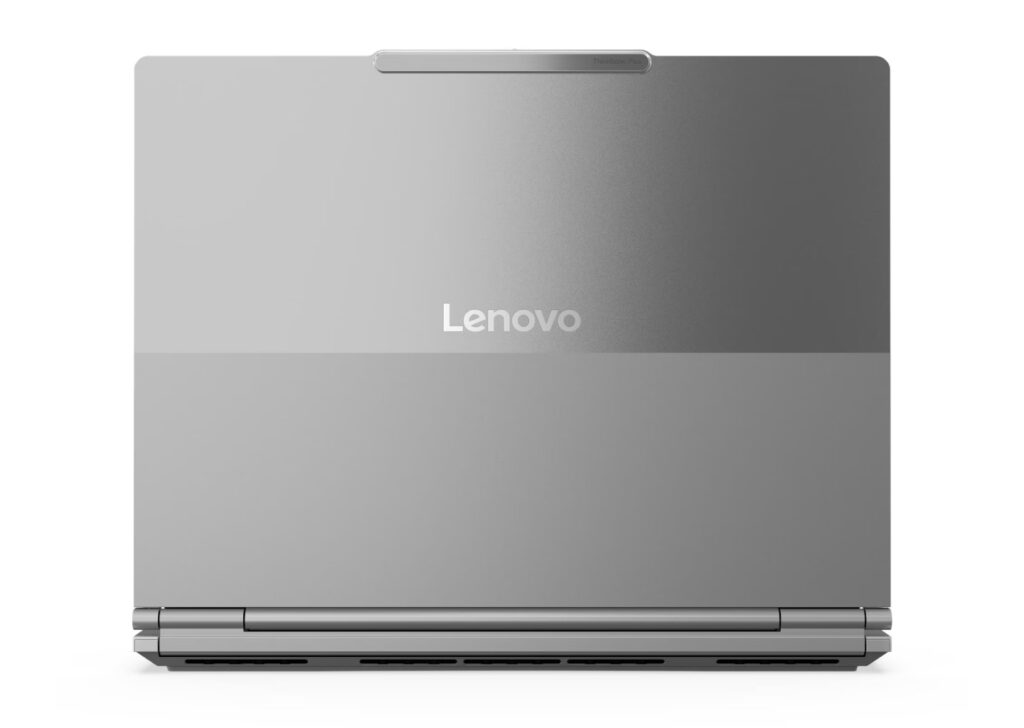
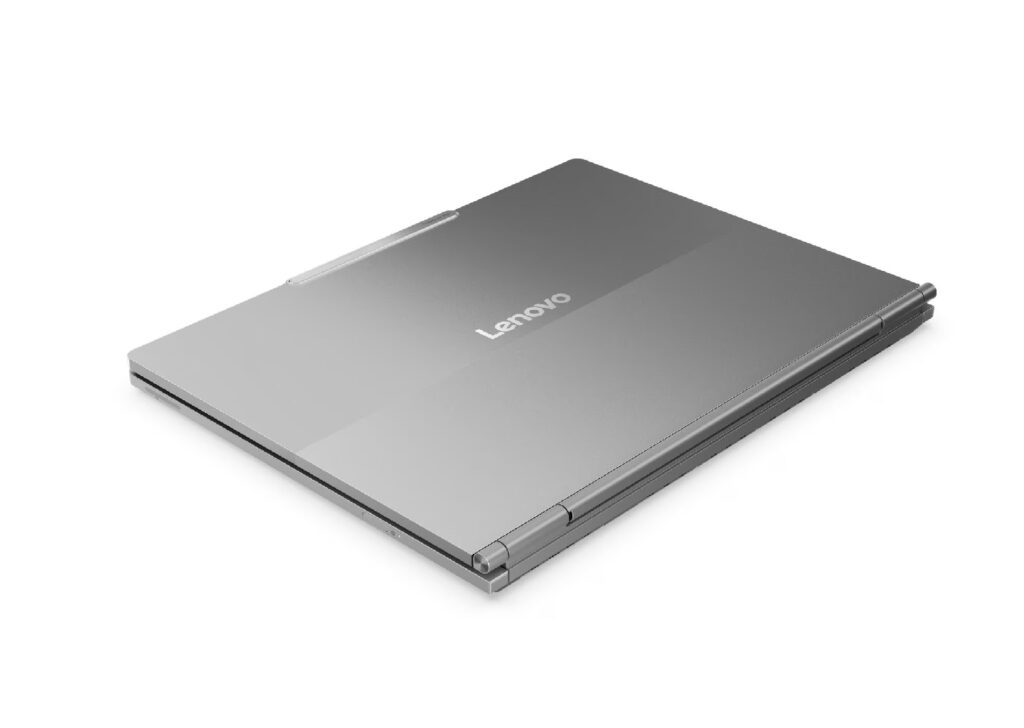
At first glance, the ThinkBook Plus G6 Rollable looks like a conventional premium business laptop. Lenovo has opted for an aluminium chassis with a dual-tone Luna Grey finish, giving it a professional appearance. The CNC-machined aluminium construction also provides a solid feel, although the internal display mechanism makes the device heavier than most traditional 14-inch laptops.
The laptop measures approximately 303.5 x 230.6 x 19.9mm and starts at 1.69kg (3.72lbs). This is relatively substantial for a device marketed around portability, particularly when compared with conventional ultrabooks. The additional weight is understandable given the mechanical components required to house and operate the flexible display.
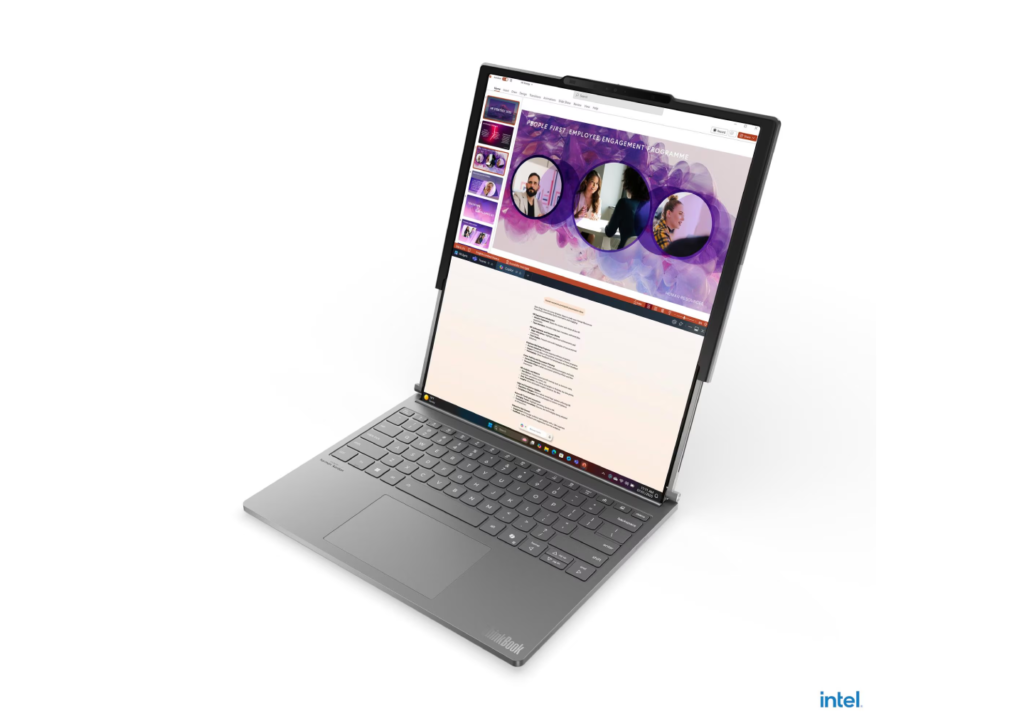
The most interesting aspect of the design is how the display remains protected inside the laptop when not in use. Unlike foldable smartphones, where the flexible panel is exposed to the environment, Lenovo’s implementation keeps the screen enclosed within the chassis when the laptop is closed.
The rolling mechanism uses an integrated motorised system to extend or retract the display. Users can activate it through dedicated keyboard controls or Lenovo’s software. Gesture-based controls are also available, allowing the display to move in response to hand movements. However, gesture recognition is not always consistent, making the dedicated controls the more dependable option.
Build quality is generally premium, but the additional mechanical components introduce considerations that do not apply to conventional laptops. When extended, the display can exhibit some movement and mechanical noise. The flexible panel also shows visible creasing under certain viewing conditions. These characteristics do not necessarily prevent everyday use, but they remind us that rollable display technology is still developing.
The display is undoubtedly the main reason to consider the ThinkBook Plus G6 Rollable. Lenovo has equipped it with a 14-inch flexible Plastic OLED (P-OLED) panel that extends vertically to 16.7 inches.
In its standard configuration, the screen operates at 2000 x 1600 pixels with a 5:4 aspect ratio. Once extended, the resolution increases to 2000 x 2350 pixels, changing the aspect ratio to 8:9. This provides considerably more vertical workspace without increasing the laptop’s footprint when closed.
The display supports a variable refresh rate between 10Hz and 120Hz, offering smoother scrolling and animations when required. It also features a quoted brightness of 400 nits, a 100,000:1 contrast ratio and 100% DCI-P3 colour gamut coverage. Dolby Vision support is another welcome addition.
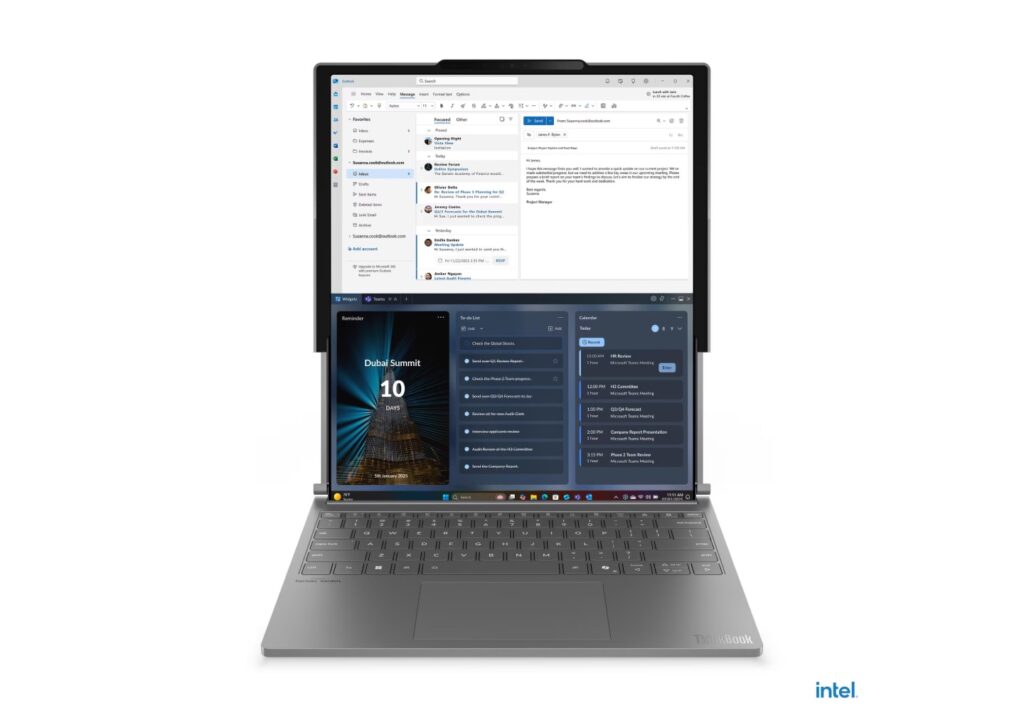
In practical terms, the OLED panel produces vibrant colours, deep blacks and strong contrast. The extended configuration is particularly useful when working with long documents, reviewing PDFs, reading articles or navigating extensive spreadsheets. Developers and professionals working with long code files can also benefit from the additional vertical space.
However, the unusual aspect ratio is not suitable for every activity. Most video content is designed around widescreen formats, meaning users will encounter substantial unused screen space when watching conventional 16:9 videos. Gaming also benefits less from the extended configuration, as many titles are not designed for such a tall display.
There are other limitations worth considering. The screen is glossy, does not support touch input and is incompatible with pen input. Visible creases can also be noticed on the flexible panel, depending on the content and viewing conditions.
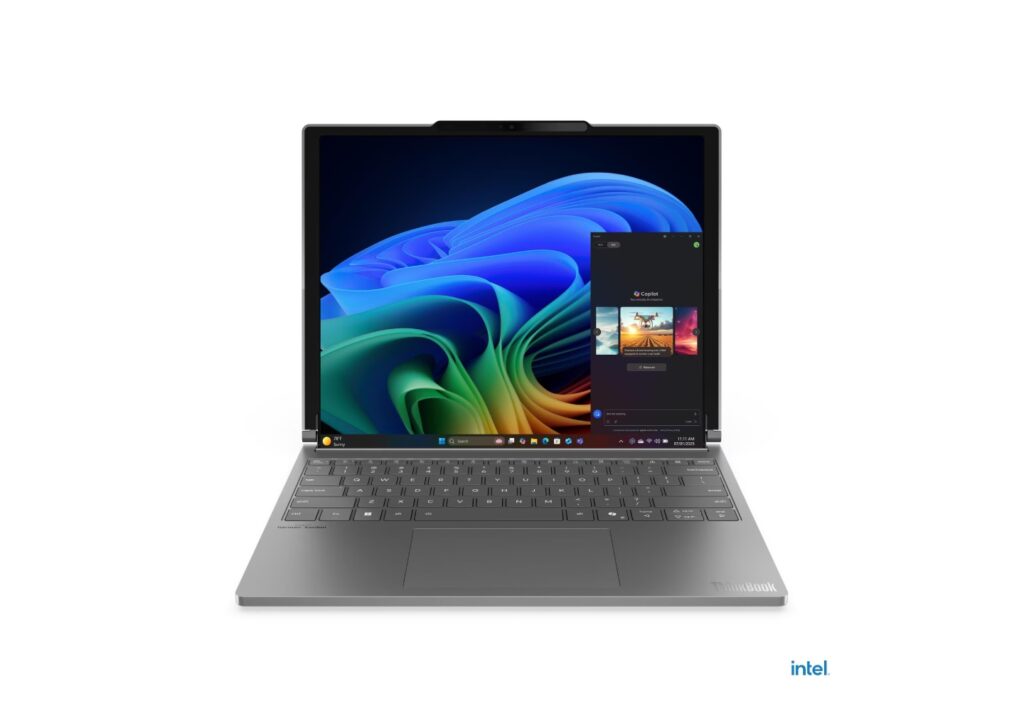
The display is therefore better understood as a productivity-focused innovation rather than an all-purpose upgrade over conventional OLED laptop screens.
The ThinkBook Plus G6 Rollable is powered by Intel’s Core Ultra 7 258V processor, part of the Lunar Lake Core Ultra Series 2 family. It features eight cores and eight threads, comprising four performance cores and four low-power efficient cores.
The processor is paired with Intel Arc Graphics 140V and an integrated Intel AI Boost NPU capable of up to 47 TOPS. Lenovo also lists up to 115 TOPS of combined platform AI performance.
For memory, the laptop comes with 32GB of LPDDR5X-8533 RAM. This is soldered directly to the motherboard and cannot be upgraded, so the available memory configuration is something buyers should consider before purchasing.
Storage is handled by an M.2 2242 PCIe 4.0 x4 NVMe SSD. Unlike the memory, the SSD is installed in an accessible storage slot, allowing it to be replaced. Lenovo lists support for storage configurations of up to 1TB.
For everyday productivity, the hardware configuration is well suited to web browsing, office applications, multitasking, video conferencing and general business workloads. The 32GB memory capacity also provides sufficient room for running several applications simultaneously.
The Intel Arc Graphics 140V handles everyday graphics requirements and some lighter creative workloads. Casual gaming is possible, but this is not a laptop designed to replace a dedicated gaming or workstation system. More demanding games and GPU-intensive applications will expose the limitations of integrated graphics.
Overall, the performance package prioritises efficiency and everyday productivity rather than maximum processing power. This is consistent with the laptop’s intended audience.
Lenovo has retained a conventional six-row keyboard layout, with multimedia function keys, a dedicated Copilot key and smart keyboard backlighting. The keyboard is also spill-resistant, which is a useful addition for a business-oriented device.
However, key travel is limited to 1mm. This is shorter than what we would typically expect from a productivity-focused ThinkBook keyboard. While the typing experience remains reasonably tactile, users who spend several hours writing or working with documents may need some time to adjust.
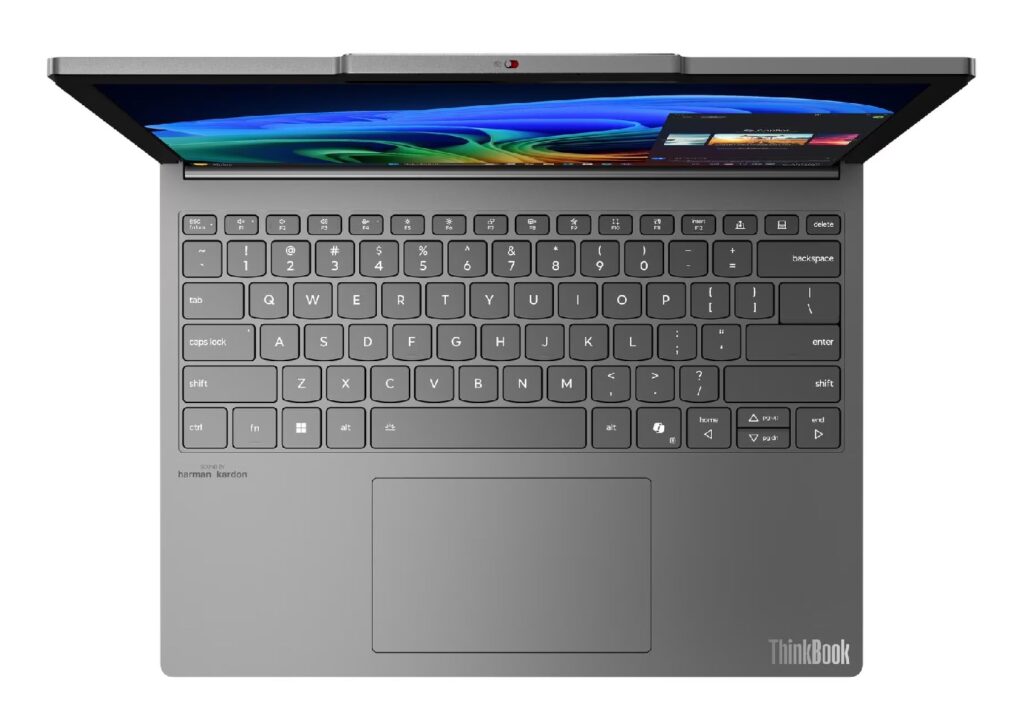
The glass haptic touchpad measures 75 x 120mm and supports Microsoft’s Precision TouchPad standard. It offers a buttonless design with haptic feedback, providing a more refined interaction than conventional mechanical touchpads.
The combination works well for everyday navigation, although the keyboard’s reduced travel is one of the compromises associated with the laptop’s unusual internal layout.
Connectivity is one area where the ThinkBook Plus G6 Rollable takes a minimalist approach.
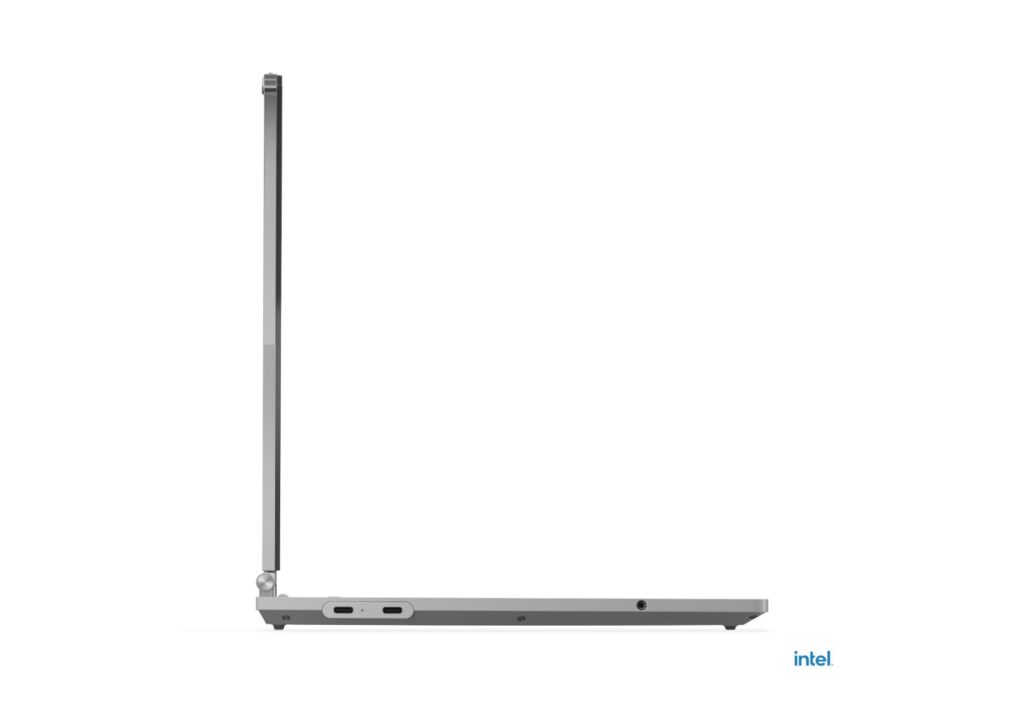
Lenovo provides two USB-C ports with Thunderbolt 4 and USB4 support, offering data transfer speeds of up to 40Gbps. Both ports support USB Power Delivery between 45W and 65W, along with DisplayPort 2.1 for external display connectivity.
There is also a 3.5mm headphone and microphone combination jack.
Wireless connectivity includes Wi-Fi 7 and Bluetooth 5.4, providing support for modern wireless networks and accessories.
The absence of USB-A, HDMI, an Ethernet port and a memory card reader is disappointing for a laptop targeting professional users. While Thunderbolt 4 provides considerable flexibility, users connecting traditional peripherals, external displays or storage devices will likely need a USB-C hub or docking station.
For video conferencing, the ThinkBook Plus G6 Rollable includes a 5MP infrared camera with a physical electronic privacy shutter and a Time-of-Flight sensor. Windows Hello facial recognition is supported, making it possible to sign in without entering a password.
The camera specification is encouraging for business users who regularly participate in online meetings. The integrated dual-microphone array also supports Lenovo’s Elevoc Voice technology.
Audio is handled by a pair of 2W stereo speakers with Dolby Atmos, Harman Kardon tuning and Smart AMP technology. The speakers deliver a reasonably capable laptop audio experience, with sufficient output for video calls, casual music listening and streaming.
However, at higher volume levels, chassis vibrations can become noticeable. This is worth considering if the laptop will frequently be used for media playback.
Security features include the infrared camera, fingerprint reader integrated into the power button and discrete TPM 2.0. Together, these provide multiple options for securing access to the device.
Lenovo has equipped the ThinkBook Plus G6 Rollable with a 66Wh lithium-ion battery. The capacity is reasonable considering the laptop’s display technology and internal mechanical components.
According to Lenovo’s official specifications, the laptop is rated for up to 11.7 hours under MobileMark 30 testing at 250 nits and up to 14.9 hours of local 1080p video playback at 150 nits. These are laboratory figures, and actual battery life will depend on screen brightness, refresh rate, applications and whether the display is extended.
In everyday use, the OLED panel and its variable refresh rate can influence power consumption. Users who frequently operate the display at higher brightness and 120Hz should expect shorter runtimes than the manufacturer’s maximum figures.
Charging is handled through a 65W USB-C nano GaN adapter. Lenovo’s Rapid Charge technology is rated to replenish up to 80% of the battery within one hour, provided the laptop is switched off, in standby or in hibernation. The compact charger is convenient for travel and does not add significant bulk to the overall setup.
The ThinkBook Plus G6 Rollable occupies a relatively small segment of the laptop market. Its main selling point is not processing performance, graphics capability or conventional portability. Instead, it offers a display experience that is currently difficult to find elsewhere.
For professionals who regularly work with lengthy documents, spreadsheets, code, research material or multiple applications, the additional vertical workspace can make a practical difference. It also provides an interesting alternative to carrying a portable external monitor.
However, the compromises are difficult to overlook. The laptop is heavier than conventional 14-inch alternatives, the keyboard has limited key travel, connectivity is restrictive and the flexible display introduces mechanical and visual imperfections.
The lack of touch and pen support also limits its appeal to users who might otherwise benefit from a larger interactive display.
With a launch price of approximately US$3,300, the ThinkBook Plus G6 Rollable is firmly positioned as a premium early-adopter product. Its value depends heavily on whether the rollable display provides a meaningful improvement to the buyer’s daily workflow. Those who primarily need a conventional productivity laptop can find more practical alternatives at considerably lower prices.
The Lenovo ThinkBook Plus G6 Rollable demonstrates how laptop displays could evolve beyond traditional fixed-size panels. Its ability to expand a 14-inch screen into a 16.7-inch vertical workspace is an impressive engineering achievement and offers genuine benefits for document-heavy workflows and multitasking.
The underlying hardware is capable, the aluminium construction feels premium, and the OLED panel delivers excellent contrast and colour reproduction. Features such as Wi-Fi 7, Thunderbolt 4, Windows Hello and 32GB of memory also ensure that the laptop remains competitive as a productivity device.
However, the rollable design comes with compromises. The additional weight, limited keyboard travel, restricted connectivity and visible display creases prevent it from being an uncomplicated recommendation. Its premium price also makes it difficult to justify for users who do not specifically need the expandable display.
The ThinkBook Plus G6 Rollable is best suited to professionals and technology enthusiasts who value additional vertical screen space and are willing to pay for an unconventional laptop experience. For everyone else, a conventional premium ultrabook or a laptop paired with a portable external monitor remains the more practical investment.
Lenovo has demonstrated that rollable displays can work in a laptop form factor. The next challenge will be making the technology lighter, more refined and more affordable.

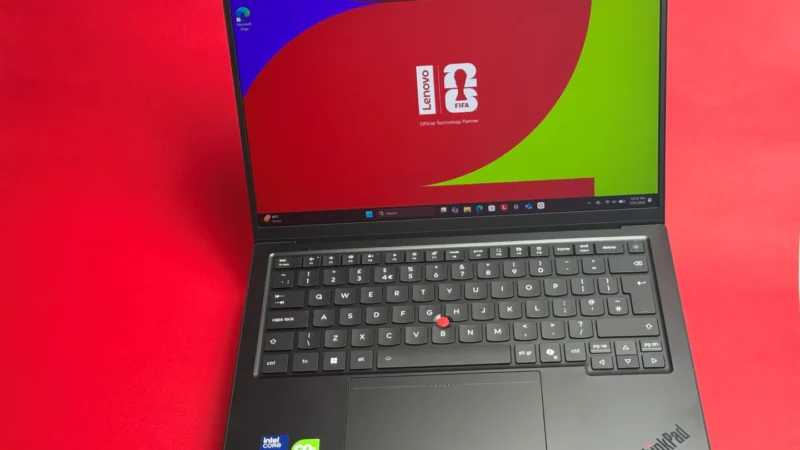
Lenovo ThinkPad X1 Carbon Gen 14 review covering its design, OLED display, performance, battery life, keyboard, connectivity, repairability and value

The Lenovo ThinkBook Plus Gen 6 Rollable is the world's first commercially available rollable laptop, expanding from a 14-inch display to 16.7 inches.
ThinkPad X1 Carbon Gen 13 Review: long been considered Lenovo’s flagship business ultrabook, and with the 13th generation, Lenovo continues to refine the formula.
 Joshua James