
SteelSeries Apex Pro TKL Gen 3 Review
We review the SteelSeries Apex Pro TKL Gen 3, featuring OmniPoint 3.0 Hall Effect switches, adjustable actuation, Rapid Trigger, OLED display and RGB lighting.
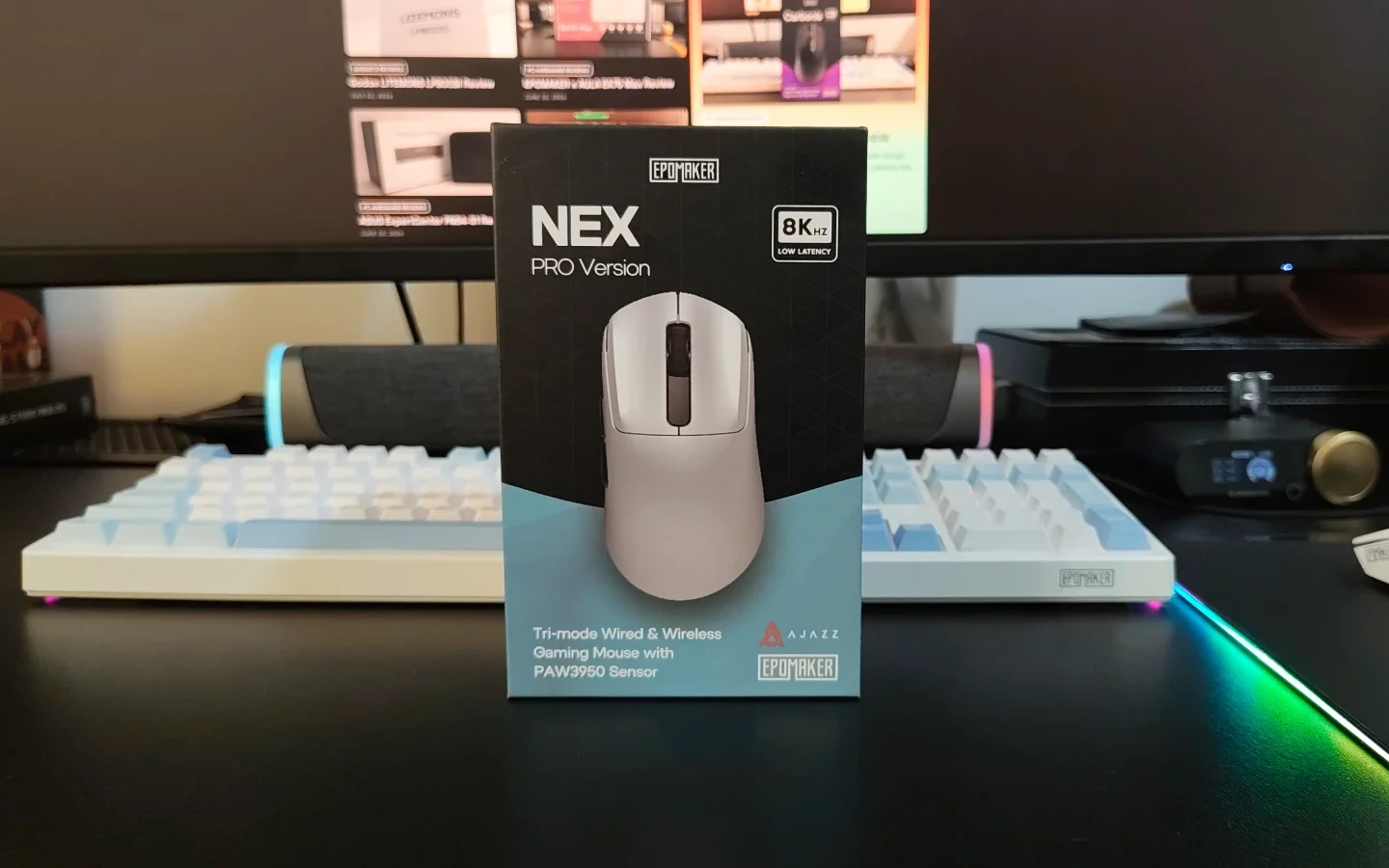
EPOMAKER has built a strong reputation for mechanical keyboards, but the company has steadily expanded its portfolio of gaming peripherals. The NEX Pro is one of its more ambitious gaming mice, combining a high-end sensor, 8K polling, tri-mode connectivity, a large battery, and a dedicated charging dock.
Priced at around $79.99, the NEX Pro sits in a competitive segment populated by established brands as well as several value-focused gaming peripheral manufacturers. Rather than chasing the lowest possible weight, EPOMAKER has focused on ergonomics, durability and everyday convenience.
We spent time using the NEX Pro for both gaming and general desktop work to see how well that approach works.
The NEX Pro is a relatively large, right-handed ergonomic mouse measuring 122 x 65 x 42mm and weighing 65g. Its shape is aimed primarily at medium-to-large hands, with a pronounced central hump and a profile that naturally supports a palm grip.
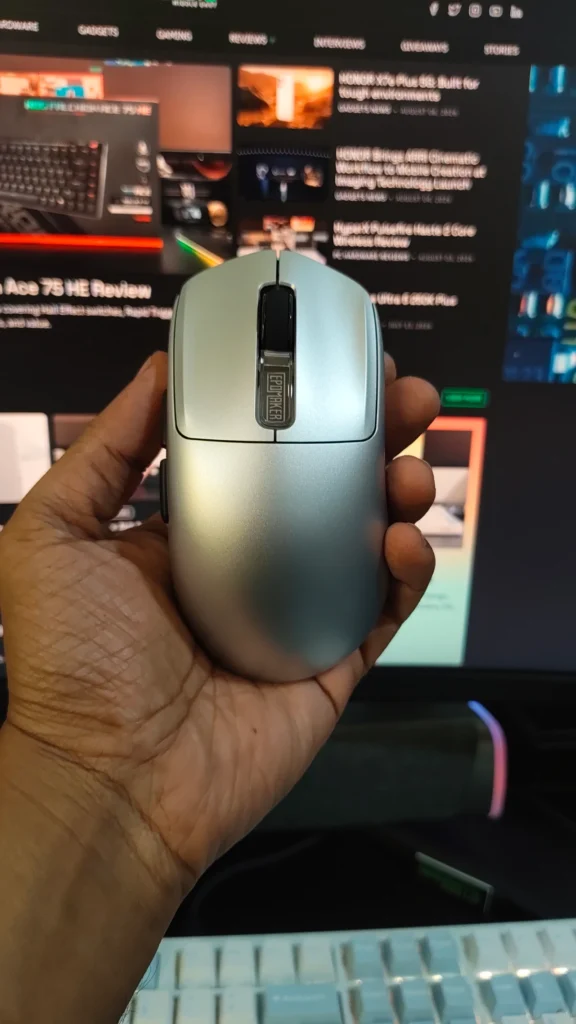
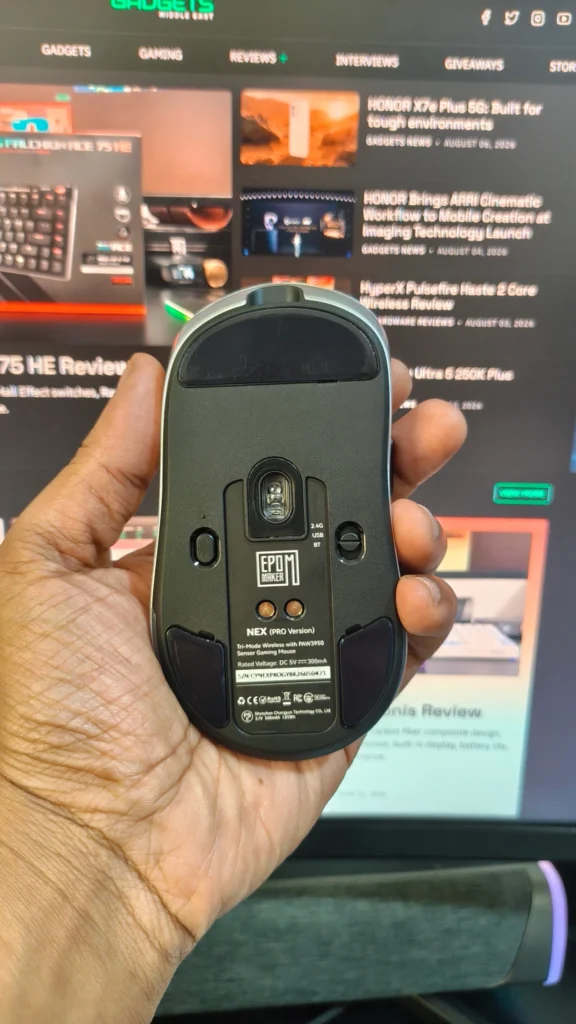
The design is considerably more restrained than some gaming mice. Our review unit came in the Silver finish, which gives it a distinctive retro-inspired appearance without relying heavily on RGB lighting across the mouse itself.
The ABS plastic shell feels sturdy and well assembled. There is very little flex, even when pressure is applied to the sides, and there are no obvious creaks or hollow sensations during normal use. The relatively solid construction does contribute to the 65g weight, but it also gives the NEX Pro a reassuringly substantial feel.
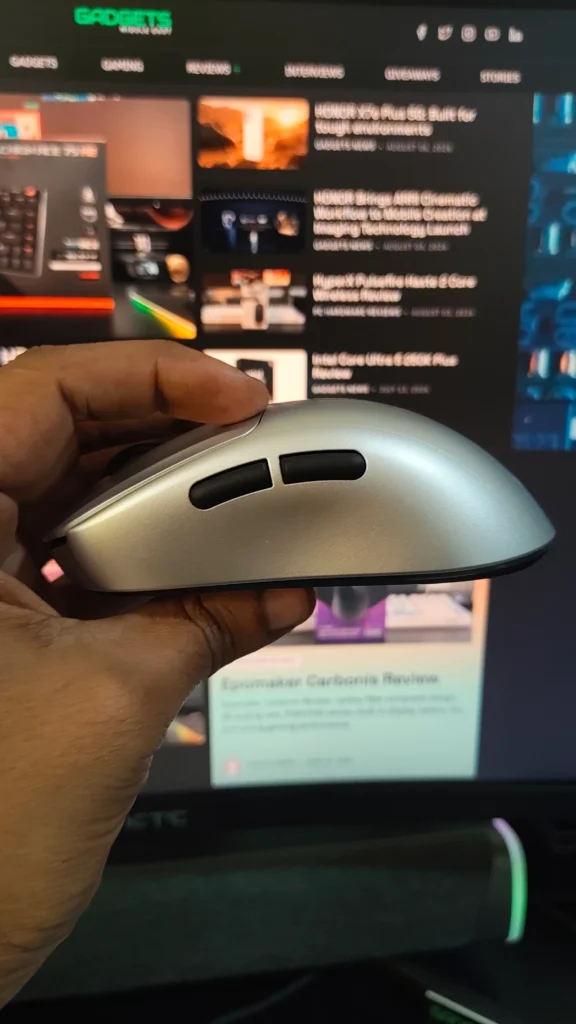
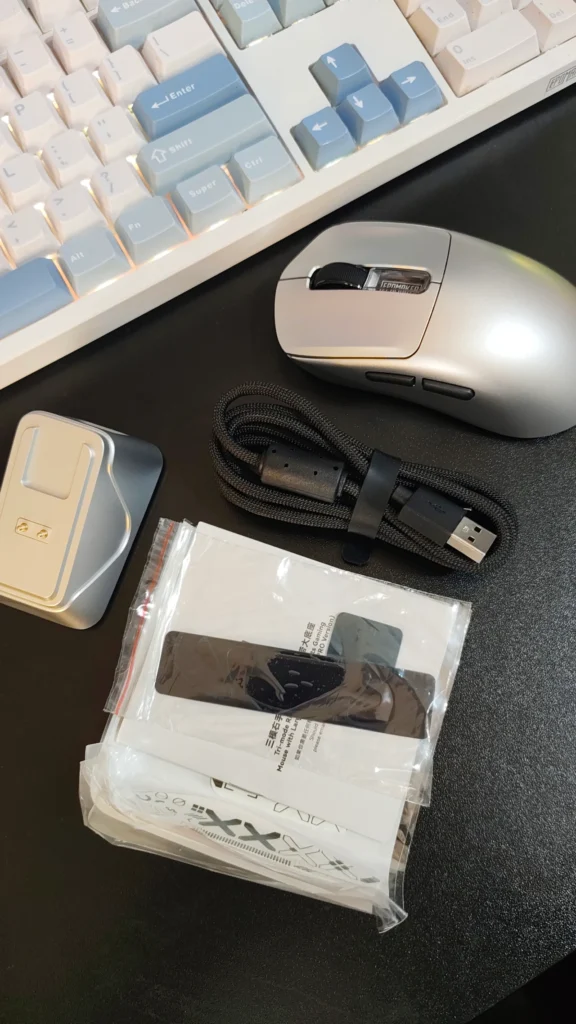
For our hand size and grip, the shape was comfortable over extended periods. The curved body provides good palm support, while the primary buttons offer enough space for the fingers to rest naturally. Users who prefer extremely lightweight mice around 40-50g may find the NEX Pro heavier than ideal, but the weight works well with its ergonomic design.
The supplied grip tapes are also a useful addition. They provide additional traction and can be applied to the sides and top of the mouse depending on preference.
The NEX Pro uses Omron optical switches for its main buttons. They are rated for up to 100 million clicks and have a relatively crisp, responsive character.
We particularly liked the limited pre-travel and almost nonexistent post-travel on the main buttons. The clicks feel direct without excessive movement before or after actuation. They are somewhat sharp and high-pitched, so users who prefer softer or quieter switches may have a different preference.
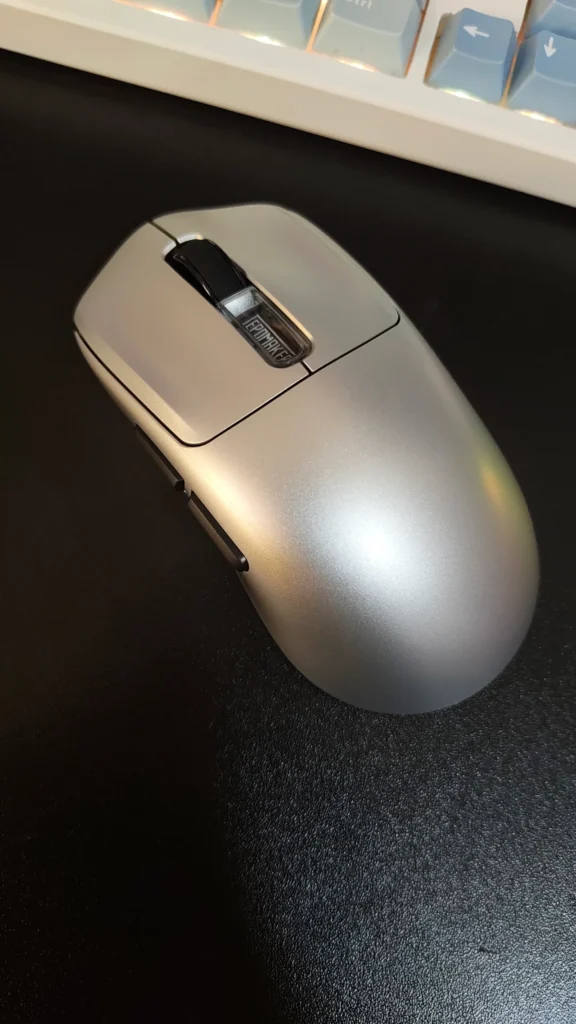
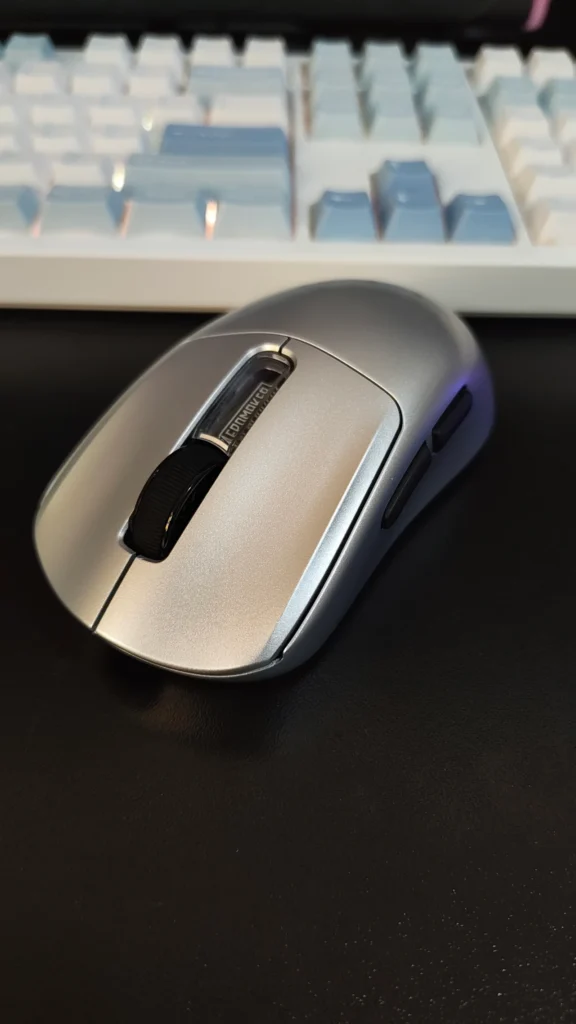
The side buttons are equally well implemented. They are easy to reach with the thumb and have good tactile feedback without the mushiness that can affect some gaming mice.
The scroll wheel is another strong point. It uses a TTC Gold encoder and provides defined steps without feeling excessively stiff. The middle click is also reasonably light, making it comfortable for frequent use.
Overall, the NEX Pro’s controls were among its strongest aspects. The combination of crisp main clicks, tactile side buttons and a well-defined scroll wheel makes the mouse suitable for both gaming and productivity.
At the heart of the NEX Pro is PixArt’s PAW3950 sensor, paired with a Nordic 54L15 MCU. The sensor supports up to 42,000 DPI across six configurable stages, while the mouse can operate at polling rates of up to 8,000Hz. The specifications include a tracking speed of up to 750 IPS and acceleration of up to 50G.
In everyday use, the sensor performance was consistently reliable. Cursor movement remained accurate during both slow, precise movements and rapid swipes. During FPS gaming, we experienced no noticeable tracking issues, jitter or unexpected changes in sensitivity.
The 8K polling mode also performed well. Testing showed stable polling behaviour, although the practical benefits of 8,000Hz will depend heavily on the user’s system, display refresh rate and workload.
For most users, 1,000Hz will remain perfectly adequate, while competitive gamers with high-refresh-rate displays may appreciate the additional responsiveness available at 4K and 8K polling.
The NEX Pro can operate at up to 8,000Hz through its 2.4GHz wireless connection or wired USB-C connection. Bluetooth is intended more for power-efficient general use and operates at a lower polling rate.
The NEX Pro’s ergonomic shape makes it particularly comfortable for palm-grip users. The mouse provides enough support for longer gaming sessions without feeling cumbersome.
At 65g, it is not an ultra-light gaming mouse, and this is worth considering if fast flicks and minimal weight are your priorities. We have used lighter mice that feel quicker during rapid movements, but the NEX Pro provides greater physical stability in return.
For games such as FPS titles, the sensor performance was never a limiting factor. Tracking remained consistent during quick movements, while the responsive main switches made rapid clicking straightforward. The mouse also works well outside gaming. Its shape and controlled movement make it suitable for applications where precision is important, including photo and video editing.
The NEX Pro supports three connection methods: 2.4GHz wireless, Bluetooth and wired USB-C. The 2.4GHz connection provides access to the mouse’s high polling rates, while Bluetooth is useful when battery conservation is more important than maximum performance. USB-C provides a wired alternative when required.
A 500mAh battery powers the mouse. EPOMAKER rates battery life at up to 350 hours when operating at 125Hz, while maximum 8,000Hz polling reduces that figure to around 50 hours.
Actual battery life will depend on polling rate and other settings, but the large battery gives the NEX Pro considerable endurance for a high-polling-rate gaming mouse. The bigger attraction, however, is the included charging dock.
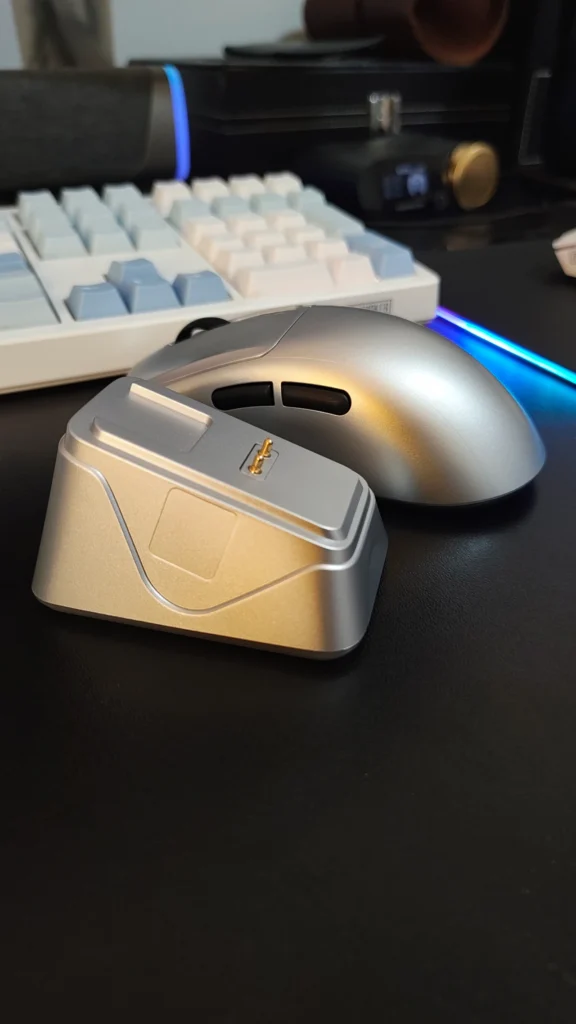
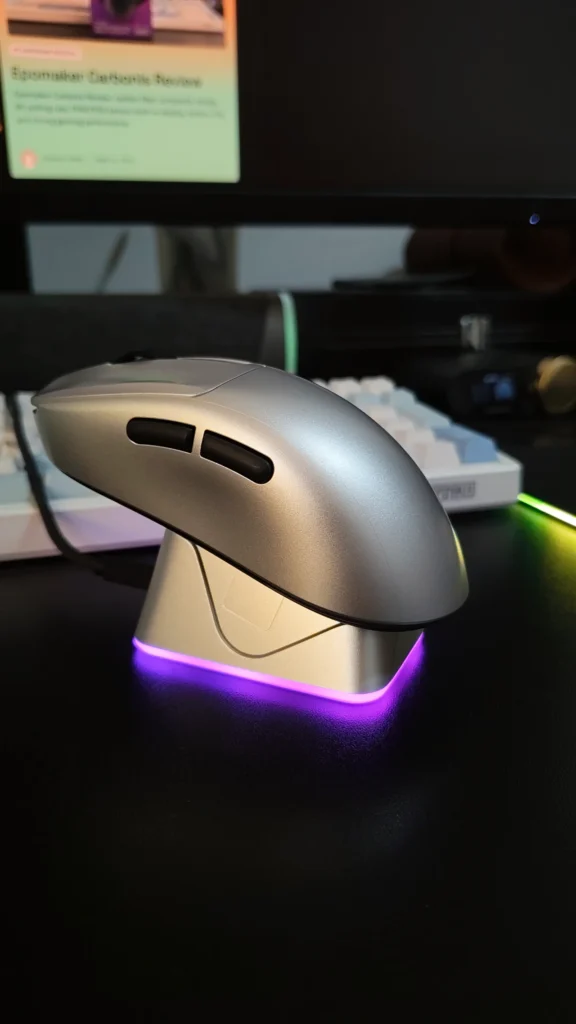
The charging dock is one of the NEX Pro’s most useful features. Rather than simply providing a conventional 2.4GHz receiver, EPOMAKER integrates the wireless dongle into the charging station. The mouse uses pogo pins on its underside and can be placed directly onto the dock when it is not being used. This makes keeping the battery charged almost effortless.
The dock also features RGB lighting and doubles as a visual status indicator. It can be placed permanently on the desk, meaning the 2.4GHz receiver remains conveniently positioned while the mouse has a dedicated place to recharge.
EPOMAKER uses a browser-based configuration system for the NEX Pro, so there is no need to install a traditional desktop application.
The web interface provides access to the main mouse settings, including DPI stages, polling rate, button assignments, macros and lift-off distance. The LOD can be configured as low as 0.7mm. There are also options for performance modes, DPI lighting and other sensor-related settings.
We appreciate the decision to use browser-based software. It avoids another background application running on the PC and makes the mouse easier to configure when moving between systems. The interface itself is functional rather than particularly polished. It covers the important controls, but the presentation can feel somewhat basic and occasionally less intuitive than dedicated gaming software from larger peripheral manufacturers.
The NEX Pro comes with PTFE skates that provide consistent movement, although their feel will depend heavily on the mousepad being used. We found the stock feet somewhat conservative compared with faster aftermarket skates. Users who prefer very fast mouse movement may eventually want to replace them, but the supplied feet are perfectly usable for general gaming and productivity.
The 65g weight also influences how the mouse feels on a pad. It does not have the effortless glide of an ultra-lightweight 50g-or-less mouse, but the additional weight contributes to a more controlled feel.
At around $79.99, the NEX Pro occupies an interesting position. It is more expensive than many of the newer value-focused gaming mice, but it also provides a feature set that includes a PAW3950 sensor, 8K polling, tri-mode connectivity, a 500mAh battery and a dedicated charging dock.
The dock in particular adds value because it combines the wireless receiver and charging functionality into one accessory. There is also a useful selection of extras in the box, including grip tapes, additional glide feet, a braided USB-C cable and other accessories.
The main question is therefore not whether the NEX Pro offers enough features for the price, but whether its shape and weight match your preferences.
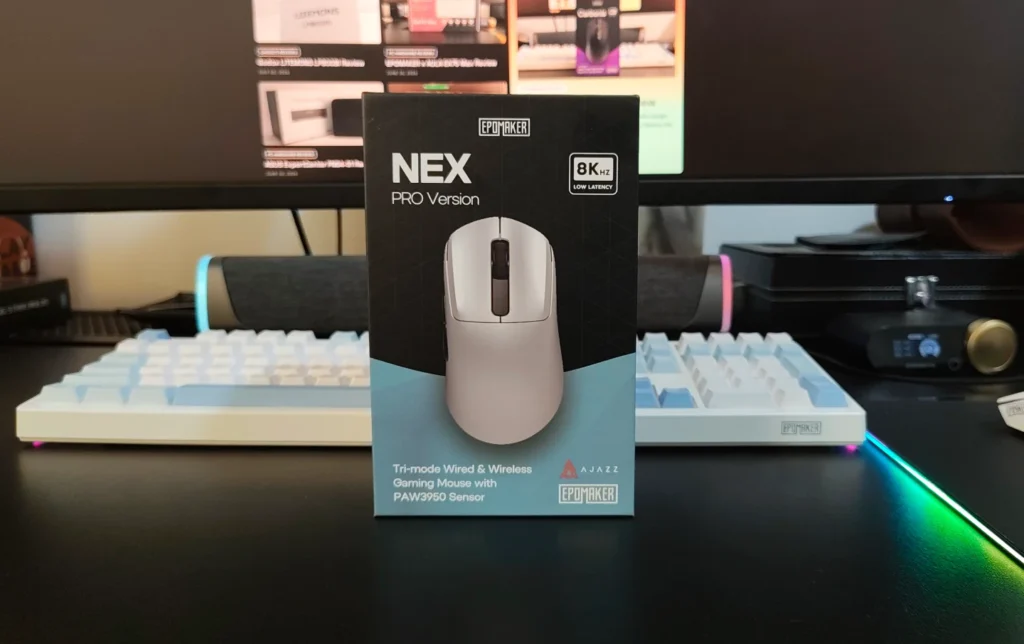
The EPOMAKER NEX Pro is a well-rounded gaming mouse that takes a different approach from the current trend toward extreme weight reduction. At 65g, it is not the lightest option available, but its ergonomic shape, sturdy construction and excellent button implementation make it comfortable for extended use.
The PAW3950 sensor and 8K polling provide the performance expected from a modern high-end gaming mouse, while tri-mode connectivity makes it versatile enough for gaming and general desktop use. The charging dock is arguably the biggest practical advantage. Being able to place the mouse on the dock whenever we step away from the desk removes much of the inconvenience associated with wireless peripherals.
There are some compromises. The 65g weight will not appeal to users who prioritise ultra-light designs, the stock feet could be faster, and the web-based software could be more polished. Left-handed users are also excluded by the right-handed ergonomic shape.
For users with medium-to-large hands who prefer a comfortable palm-oriented design, the NEX Pro is a strong option. It delivers high-end tracking, reliable wireless performance, excellent controls and a useful charging solution without pushing the price into premium territory.
If you’re looking for a more affordable alternative, check out our EPOMAKER NEX Lite review to see how it compares in terms of features and performance.

We review the SteelSeries Apex Pro TKL Gen 3, featuring OmniPoint 3.0 Hall Effect switches, adjustable actuation, Rapid Trigger, OLED display and RGB lighting.
Our ASUS ROG Strix Aiolos review examines its 20Gbps USB 3.2 Gen 2×2 performance, design, cooling, tool-free installation, RGB lighting and value.
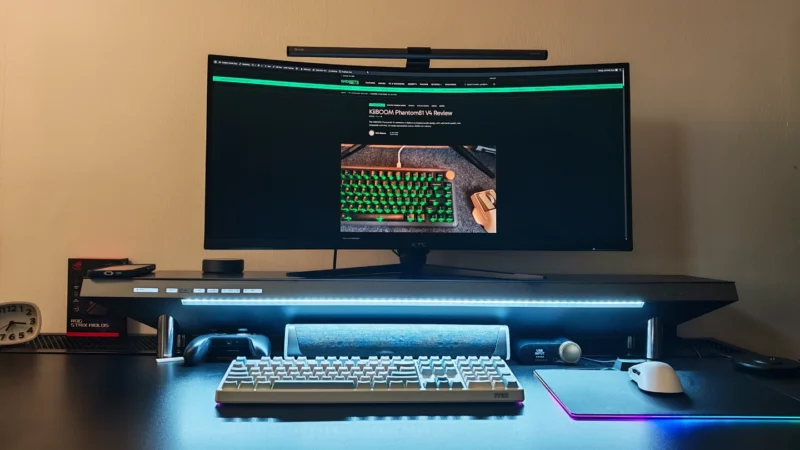
Our Hexcal Studio review examines its premium build, cable management, eight AC outlets, USB connectivity, wireless charging and integrated task lighting.
 Joshua James